
ChaosBlade is a toolkit for running chaos engineering experiments: it deliberately injects faults into a system so a team can check that alerts fire, failover works and the service degrades the way it should. One toolkit covers several layers: operating-system faults on a host (CPU load, memory, disk I/O, network delay and loss, killed processes), container and Kubernetes faults, and application faults inside Java programs, such as a slow or failing method call. Experiments can be started from the blade command line, declared as Kubernetes custom resources, or driven from a web console. It was released in 2019 by Alibaba, which built it on its earlier fault drill platforms and has used it for large-scale drills ahead of peak shopping events. The CNCF accepted it as a Sandbox project on 28 April 2021.
CNCF daily · Sprint 3, post 19 of 21 · Chaos Engineering
At a glance
| Category | Observability and Analysis › Chaos Engineering |
| CNCF status | Sandbox. Accepted April 28, 2021 |
| Written in | Go (the command line and OS executors); other executors target the JVM and C++ |
| License | Apache 2.0 |
| Repositories | chaosblade (CLI and OS executors), chaosblade-operator (Kubernetes), chaosblade-box (web platform), and executors for JVM, Docker and C++ |
| Experiment model | Scope (host, node, pod, container, JVM), target (cpu, network, disk, process, method), action (fullload, delay, loss, kill) and matchers |
| Kubernetes | A ChaosBlade custom resource in chaosblade.io/v1alpha1, handled by the operator |
| Recent work | Blade AI, an agent that plans and verifies drills from natural-language requests (v0.7.2, September 2026, bundling ChaosBlade v1.9.0-alpha) |
Architecture
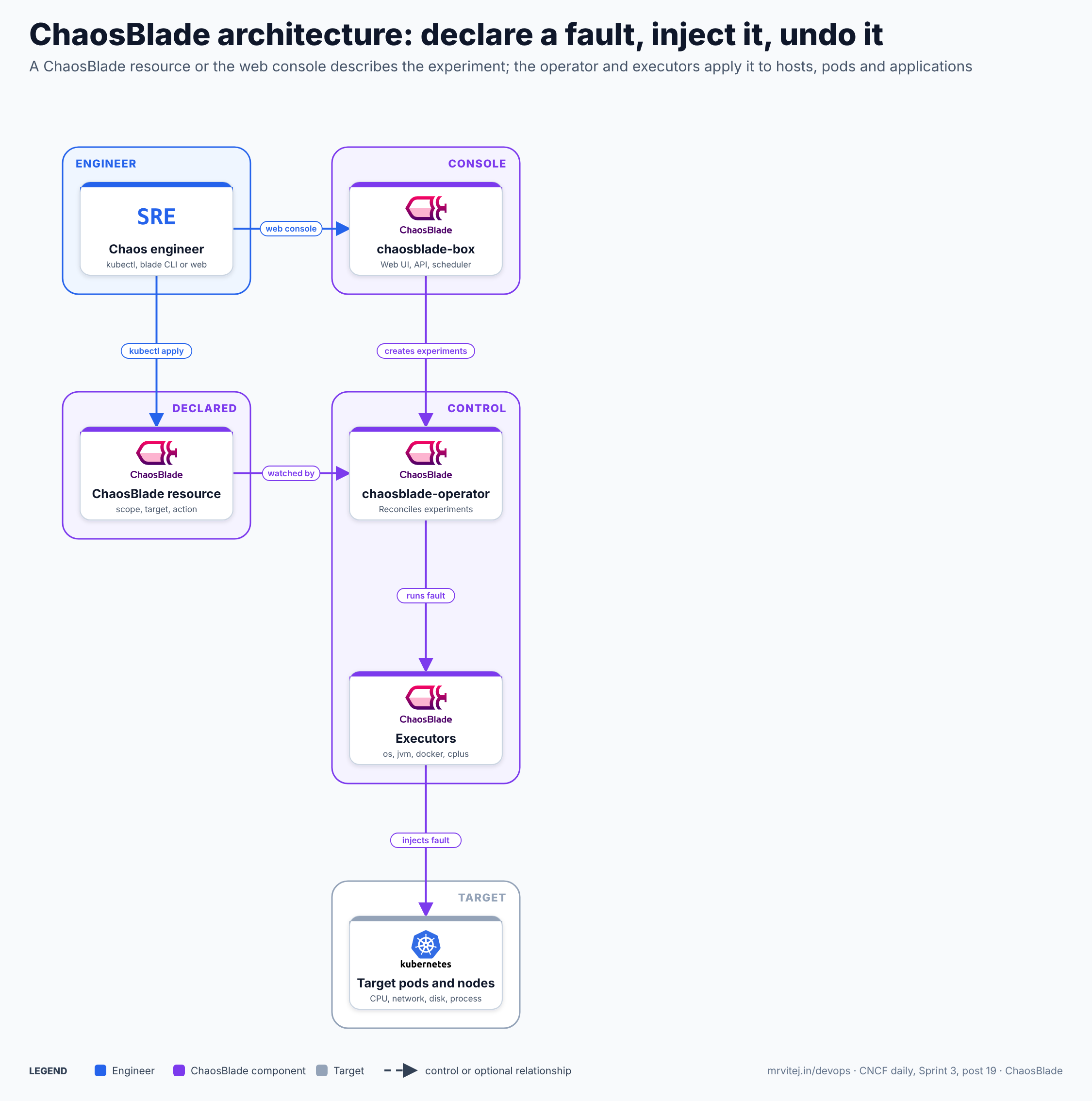
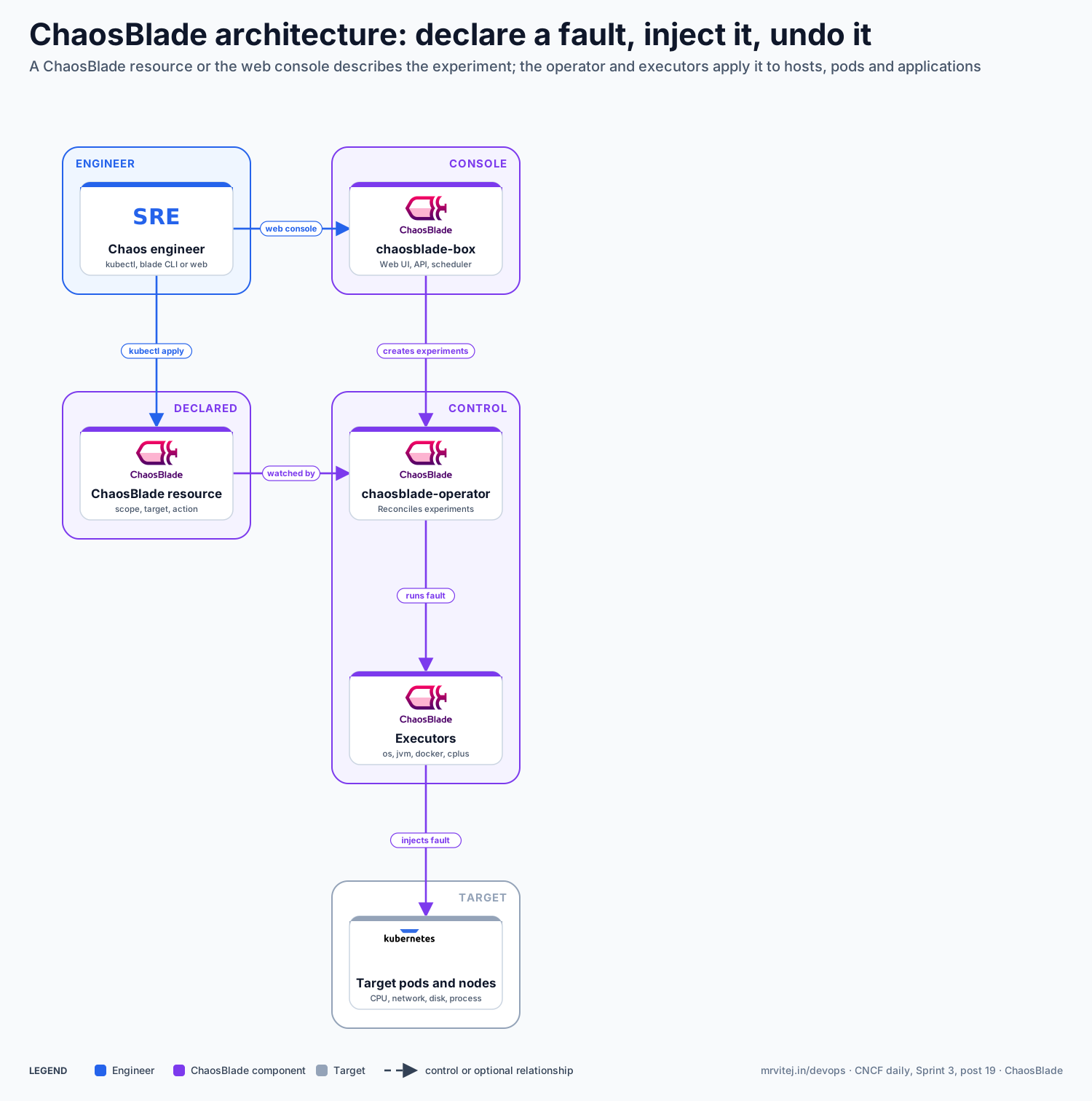
Blue is the engineer, purple the ChaosBlade components and slate the target. The operator and executors do the work; the resource and console are two ways to describe an experiment. Open the zoomable diagram, or download it as SVG or PNG.
| Component | Responsibility |
|---|---|
| Chaos engineer | Chooses a fault and a target, then applies it with kubectl, the blade CLI or the web console. |
| chaosblade-box | A platform with a web UI, an API server and a scheduler, backed by MySQL and Redis, with agents on hosts and in Kubernetes. |
| ChaosBlade resource | A custom resource that states the scope, target, action and matchers of one experiment. |
| chaosblade-operator | Watches ChaosBlade resources, selects the targets and runs the experiment, then restores state when the resource is deleted. |
| Executors | Perform the fault: exec-os for host resources, exec-docker through the Docker API, exec-jvm through a Java agent that can be removed, and exec-cplus for C++ through GDB. |
| Target pods and nodes | The systems under test. |
Design principle. Make every fault declarative and reversible. An experiment is a named object with a clear target, and deleting it undoes the fault, which keeps drills safe enough to run regularly.
Request flow
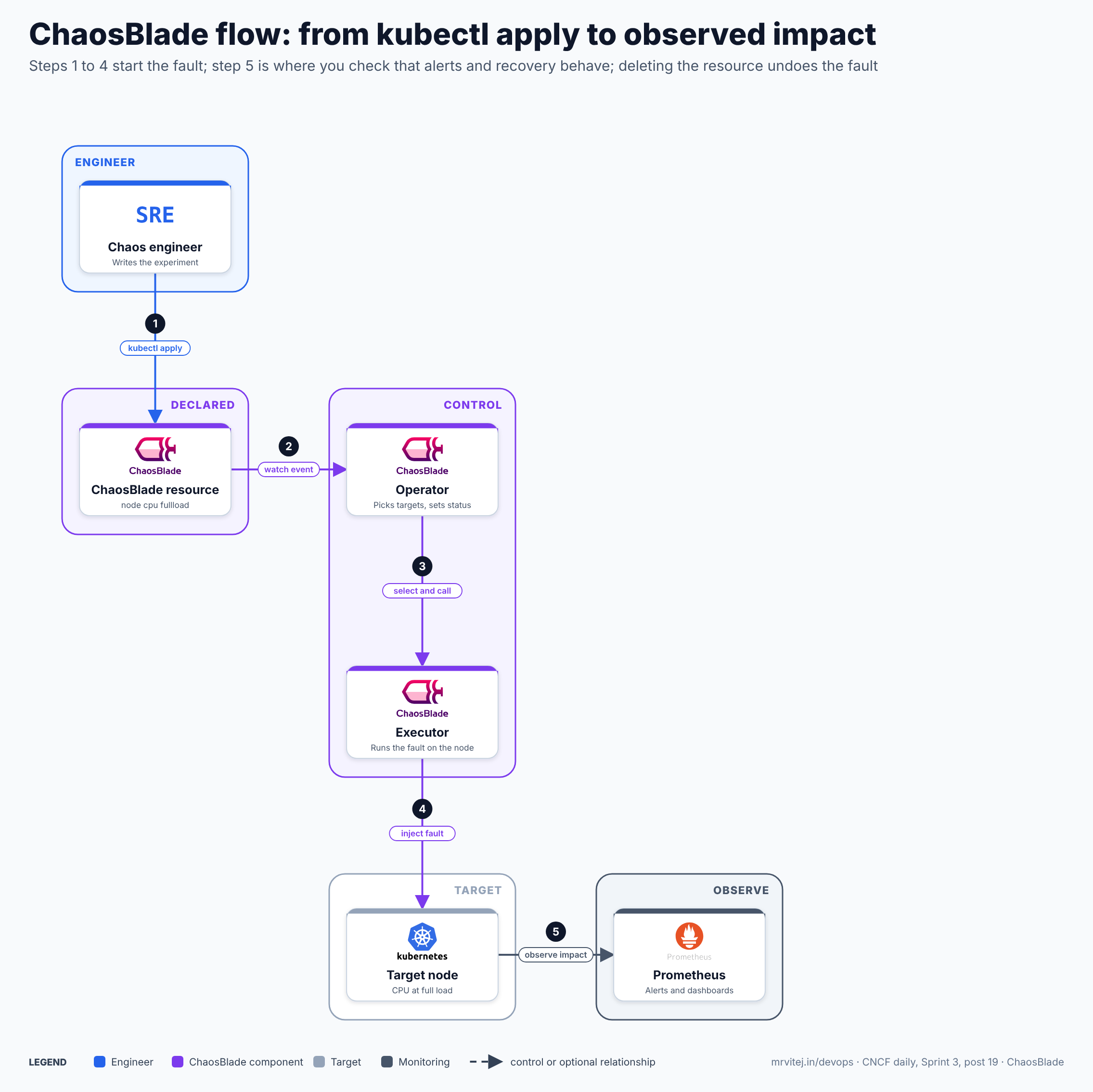
- Apply. The engineer applies a
ChaosBladeresource, for example a CPU full-load experiment on one node. - Watch event. The operator receives the create event for the resource.
- Select and call. The operator picks the targets from the matchers and calls the right executor.
- Inject. The executor runs the fault on the node. The resource status shows whether it started.
- Observe. Prometheus, dashboards and alerts show the effect, so the team can check detection and recovery. Deleting the resource (
kubectl delete blade <name>) stops the fault.
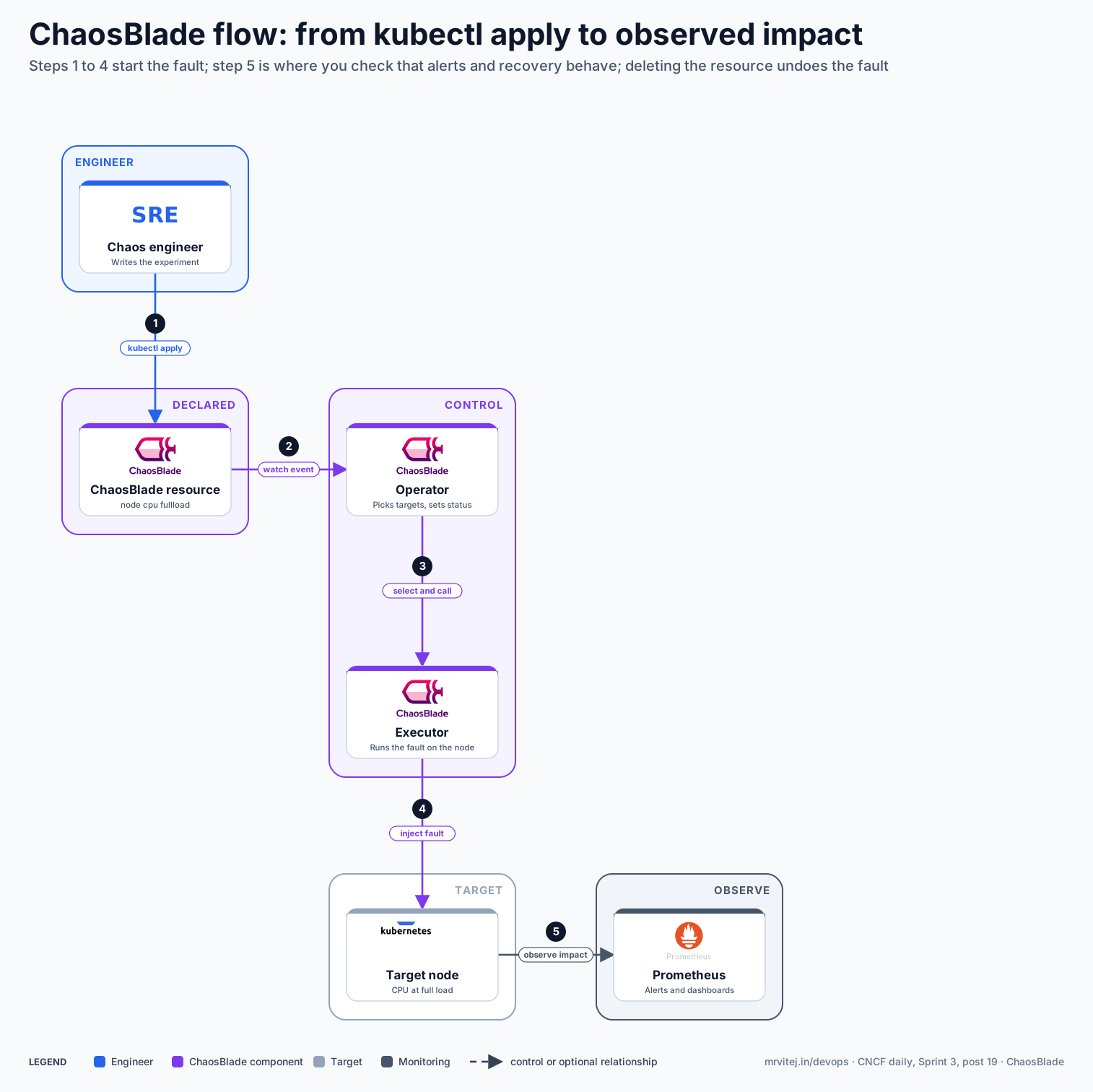
Open the zoomable flow diagram, or download it as SVG or PNG.
Production reference design
This Sprint 3 design runs ChaosBlade in the cloud cluster on Google Compute Engine (self-managed Kubernetes with Calico) and in the edge clusters, starting with staging and one small, well-understood workload.
- Install the operator into each cluster that you want to test, using the project’s installation instructions for your version, and restrict who may create
ChaosBladeresources with RBAC. - Write a hypothesis first, for example “if one edge node loses CPU headroom, the alert fires within five minutes and the workload reschedules”.
- Declare the experiment with a narrow target:
TheapiVersion: chaosblade.io/v1alpha1 kind: ChaosBlade metadata: name: cpu-load-edge-node-1 spec: experiments: - scope: node target: cpu action: fullload desc: "CPU load on one edge node" matchers: - name: names value: ["edge-node-1"] - name: cpu-percent value: ["60"]namesmatcher selects the node. Check the project documentation for the parameters your version supports. - Run it and watch. Apply the file, check
kubectl get blade cpu-load-edge-node-1 -o json, and watch your dashboards. (GCP) Compare with Cloud Monitoring or your Prometheus setup, and confirm that the load balancer health checks behave as you expect. - Stop it and record the result. Delete the resource, confirm the node returns to normal and write down what the alerts did.
- Repeat on a schedule in staging, then widen the blast radius step by step: pod faults, network delay between sites, then application faults in Java services.
Typical uses include testing failover and autoscaling, checking alert rules, verifying how services behave on slow links between edge sites and running game days that train on-call teams.
Operational considerations
- Blast radius. Node and host faults can affect everything on the target. Use narrow matchers, run first outside production and agree a stop procedure before you start.
- Cleanup. Confirm that the fault is removed after every run, especially for disk fill and process faults, and keep a manual recovery command ready.
- Permissions. Executors need elevated access on hosts and nodes. Treat the right to create experiments as a privileged action.
- Sandbox maturity. The project is a CNCF Sandbox project, so expect API and documentation changes. Pin versions and read the release notes.
- Docs and language. Much community material is in Chinese. The official documentation is the reference for current parameters.
- AI-driven drills. Blade AI can plan and run experiments from natural language. Keep a human approval step and review what it intends to inject before it runs.
Adoption
- Alibaba created ChaosBlade and describes using it for tens of thousands of online drills, including ahead of its Double 11 shopping event.
- The CNCF project page lists no adopters. Check the repository for current users before you rely on it.
Alternatives
| Solution | Model | Best suited to |
|---|---|---|
| Chaos Mesh (CNCF Incubating) | Kubernetes-native chaos with a dashboard and workflows | Kubernetes-only estates; see the Chaos Mesh brief |
| Litmus (CNCF Incubating) | Experiments as a library with a portal | Teams that want a hub of ready experiments |
| Krkn (CNCF Sandbox) | Kubernetes and OpenShift chaos scenarios | Cluster-level resilience tests |
| Chaos Toolkit | Python-based, experiment as code | Pipelines and custom integrations |
| Cloud fault injection services | Provider-managed experiments | Single-cloud estates |
Strengths and limitations
| Strengths | Limitations |
|---|---|
| One toolkit for hosts, containers, Kubernetes, JVM and C++ | CNCF Sandbox status; APIs and docs still change |
| Declarative, reversible experiments with a clear status | Few public adopters outside Alibaba |
| Works on plain VMs as well as Kubernetes, which suits mixed estates | Powerful faults need careful access control |
| Java agent faults at method level | Kubernetes scenarios are less polished than Chaos Mesh’s |
| Apache 2.0, with a CLI, operator and web console | Much of the community material is in Chinese |
Recommendation
Trial for teams that need chaos experiments on both VMs and Kubernetes, or fault injection inside Java services. Start in staging with one node-level experiment and a written hypothesis, then add pod and network faults. Teams that run only Kubernetes should compare it with Chaos Mesh before choosing.
References: ChaosBlade website · ChaosBlade repository · chaosblade-box · Alibaba Cloud introduction · CNCF project page