
A retrieval system is only as good as the text it is fed. Plain PDF text extraction scrambles two-column pages, loses table structure and returns nothing at all for a scanned page. Split that text every 500 characters and a pricing table is cut in half. Docling is an open source toolkit that converts documents into a structured representation first, with headings, reading order, tables and figures, and only then turns them into Markdown, JSON or chunks. The CNCF Landscape lists it under AI Agent › RAG with the line “Get your documents ready for gen AI”. It is a NON CNCF tool: it started at IBM Research and is hosted by the LF AI & Data Foundation, not the CNCF.
CNCF daily · Sprint 6, post 12 of 26 · AI Agent (RAG) · NON CNCF
At a glance
| Category | AI Agent › RAG |
| CNCF status | NON CNCF, listed in the CNCF Landscape |
| Hosted by | LF AI & Data Foundation; originated at IBM Research Zurich |
| Licence | The Docling code is MIT; individual models carry their own licences, so check them |
| Written in | Python (3.10 or newer; support for 3.9 was dropped in 2.70.0) |
| Version seen | 2.95.0, released 21 May 2026 on the PyPI mirror I read; check PyPI for the current one |
| Inputs | PDF, DOCX, PPTX, XLSX, images, HTML, AsciiDoc, Markdown and more |
| Outputs | Markdown, HTML, lossless JSON and DocTags |
| Server mode | Docling Serve, a REST API with a v1 interface, in CPU and GPU container images |
| Runs locally | Yes, including in air-gapped setups; model files are downloaded on first use unless you pre-install them |
The problem Docling solves
| Question | Plain text extraction | Docling |
|---|---|---|
| Two-column pages | Lines interleave | Layout analysis recovers reading order |
| Tables | Cells become loose text | A table-structure model rebuilds rows and columns |
| Scanned pages | Nothing, or garbage | OCR on the page image |
| Headings | Lost | Kept, and attached to chunks as context |
| Format variety | One tool per format | One data model for PDF, Office, HTML and images |
| The cost | Fast and light | Model inference, so CPU time, memory and, for speed, GPUs |
Key concepts
| Term | Meaning |
|---|---|
| DoclingDocument | The unified data model: text, tables, figures, headings, reading order, page positions |
| Pipeline | The steps that turn an input into a DoclingDocument; the standard PDF pipeline uses layout, table and OCR models |
| Layout model | Detects page elements (text blocks, tables, figures); documented as based on RT-DETR trained on DocLayNet |
| TableFormer | The table structure recognition model |
| VLM pipeline | An alternative that uses a vision-language model such as GraniteDocling |
| Export | Markdown and HTML are lossy; JSON is lossless and can be loaded back |
| Chunker | Splits a DoclingDocument into retrieval-sized pieces; HybridChunker adds token-aware limits to hierarchical chunking |
| Docling Serve | A FastAPI-style service that wraps conversion behind HTTP, with sync and async endpoints |
| RQ engine | Docling Serve’s queue mode: a Redis queue plus separate worker processes |
Architecture
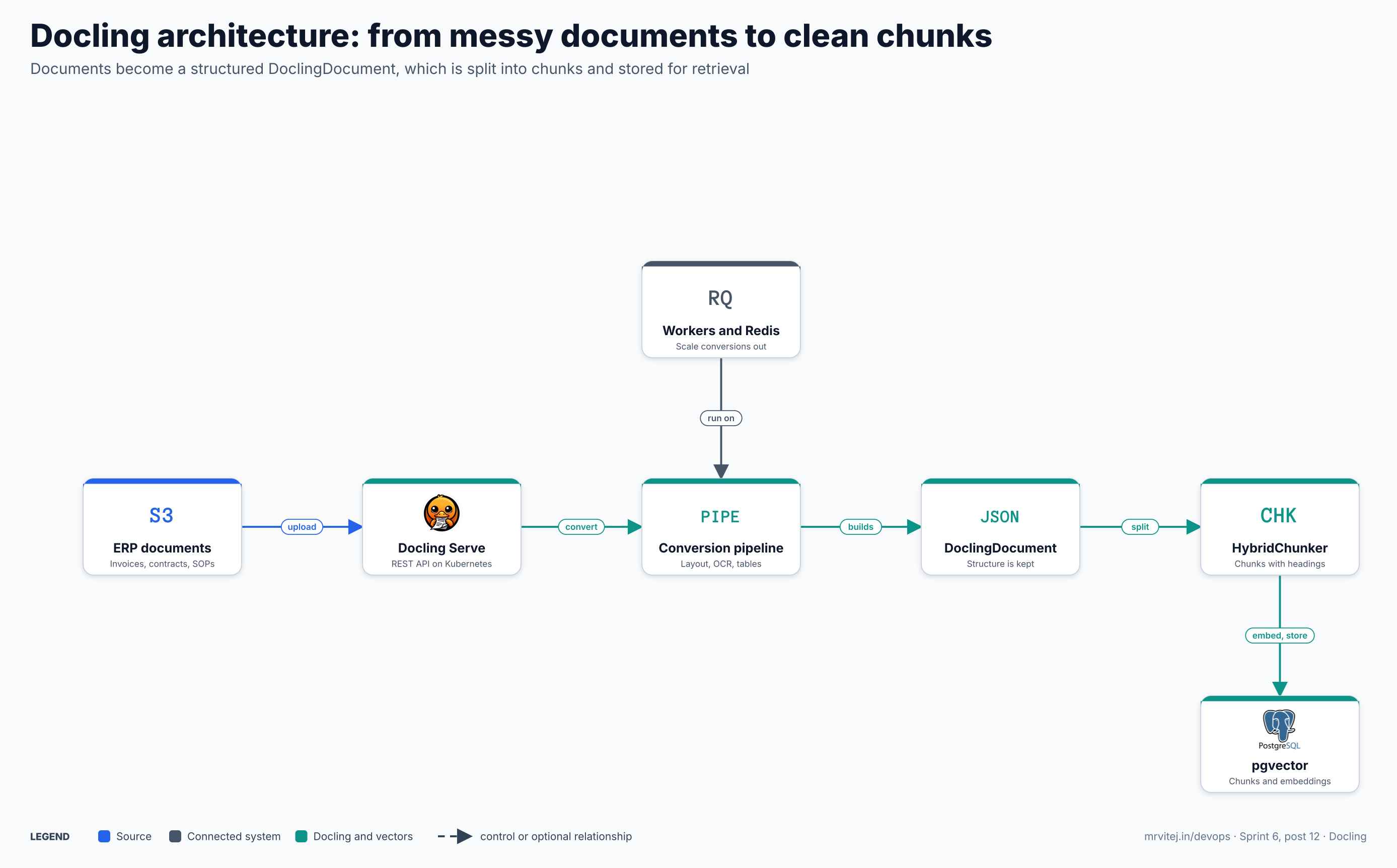
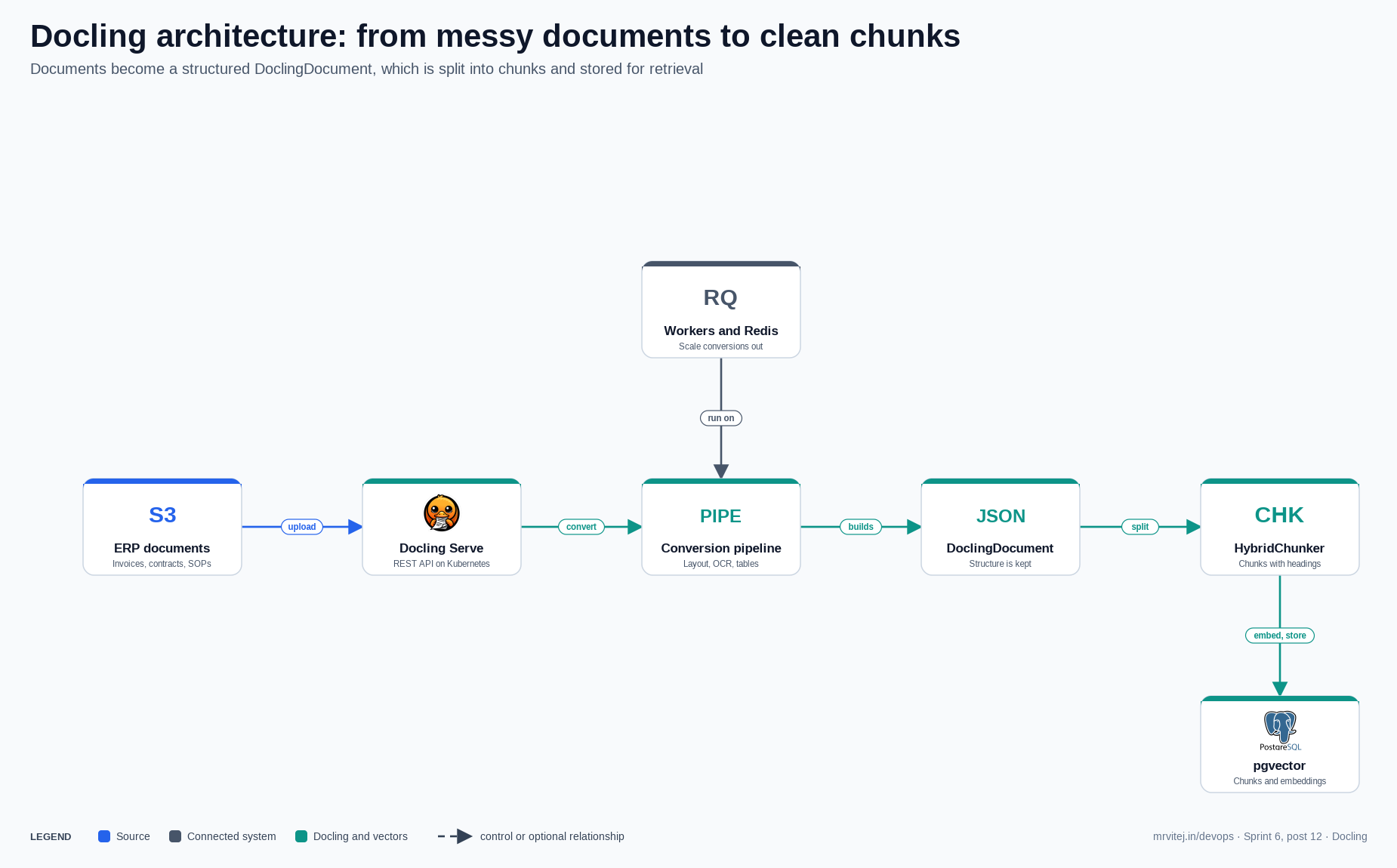
Blue is the source, grey is a connected system and teal is Docling and the vector store. Open the zoomable diagram, or download it as SVG or PNG.
| Component | Responsibility |
|---|---|
| ERP documents | Invoices, contracts and SOPs, kept in S3. |
| Docling Serve | Accepts uploads or URLs over HTTP, and returns results or a task id. |
| Workers and Redis | Optional queue mode that runs conversions on separate worker pods, so they scale and do not block the API. |
| Conversion pipeline | Layout analysis, OCR and table recognition. |
| DoclingDocument | The structured result; store the JSON so you can re-chunk without re-converting. |
| HybridChunker | Splits the document into chunks within a token limit, keeping structure. |
| pgvector | Stores each chunk with its metadata and embedding. See the pgvector brief. |
From scanned contract to searchable rows
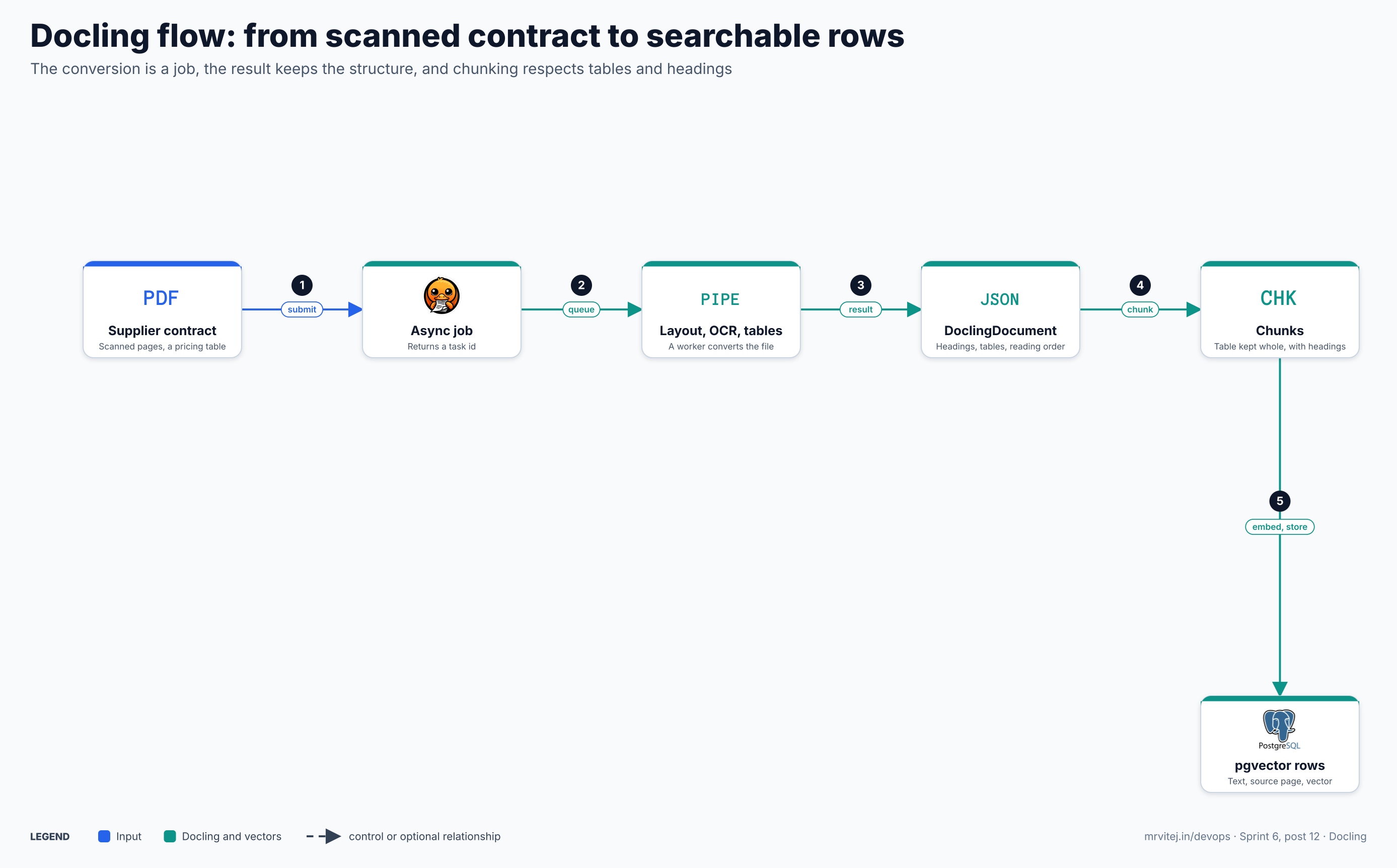
- Submit. The contract is sent to the async endpoint, which returns a task id.
- Queue. A worker picks up the job.
- Convert. Layout, OCR and table models run and build the DoclingDocument.
- Chunk. The chunker splits it, keeping each table whole where it fits and adding headings as context.
- Embed and store. Each chunk is embedded and written to pgvector with its source and page.
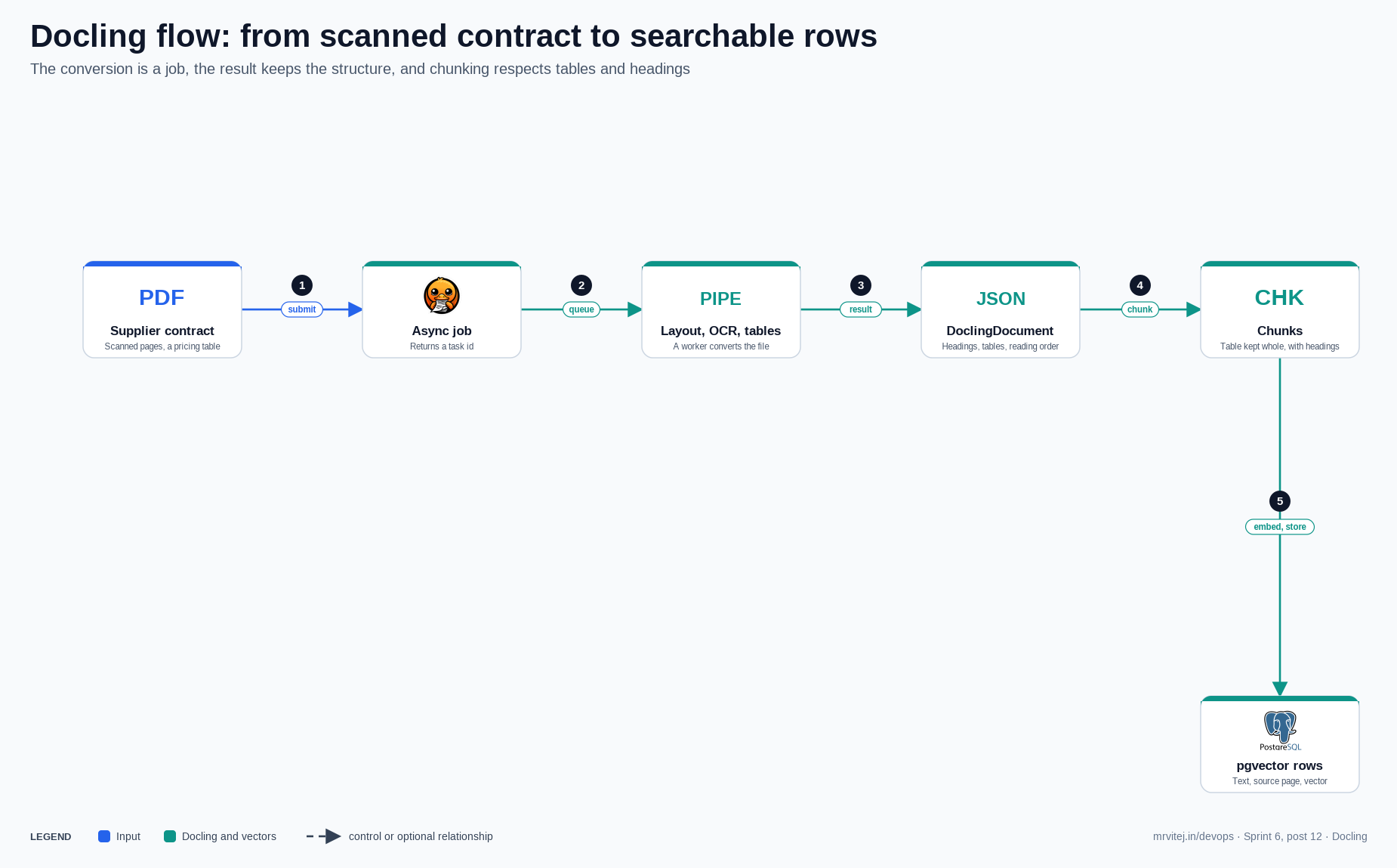
Open the zoomable flow diagram, or download it as SVG or PNG.
Real world: the pricing table on page 7
A supplier contract has a pricing table on page 7: item, unit price, volume bands and an early-payment discount. Naive extraction returns the numbers in a different order than the rows, and a fixed-size splitter cuts the table after row four. A question like “what discount do we get for paying within ten days?” now retrieves half a table, or the wrong half. With Docling, the table comes out as a table, the chunker keeps it as one chunk under its heading (“Pricing and payment terms”), and the retrieved chunk carries that heading, so the model can answer from the right place and cite page 7.
Install Docling
These steps follow the Docling and Docling Serve documentation. I did not run them for this post.
The library and command line
python3 -m venv .venv && source .venv/bin/activate
pip install docling
docling https://arxiv.org/pdf/2408.09869      # writes a .md file in the current directory
The first conversion downloads model files to a local cache, so the first run needs network access and time. For an air-gapped cluster, pre-download the models and bake them into your image, or mount them as a volume.
As a service in a container
docker run -p 5001:5001 \
  -e DOCLING_SERVE_ENABLE_UI=true \
  -e DOCLING_SERVE_API_KEY=change-me \
  ghcr.io/docling-project/docling-serve-cpu:<tag>
The CPU image is published on GitHub Container Registry and Quay; the project lists it at about 4.4 GB, and says CUDA images should be pulled by an explicit version tag because they have no latest tag. Pin a tag; do not use latest. The API is on port 5001, with interactive docs at /docs, and a demo UI at /ui when enabled. A third-party template documents a /ready health check and an X-Api-Key header; confirm both for your version.
On Kubernetes
The Docling Serve repository ships example manifests under docs/deploy-examples, including a multi-worker setup with Redis and worker pods, and a secured one with an OAuth proxy; the Docling docs say the manifests are not vendored on the docs site. Start from those. A minimal sketch, built from the documented image, port and queue settings, looks like this (an example for this series, not a tested manifest):
apiVersion: apps/v1
kind: Deployment
metadata: { name: docling-serve, namespace: erp-ai }
spec:
  replicas: 1
  selector: { matchLabels: { app: docling-serve } }
  template:
    metadata: { labels: { app: docling-serve } }
    spec:
      containers:
        - name: api
          image: ghcr.io/docling-project/docling-serve-cpu:<tag>
          ports: [{ containerPort: 5001 }]
          env:
            - name: DOCLING_SERVE_API_KEY
              valueFrom: { secretKeyRef: { name: docling-api, key: key } }
            - name: DOCLING_SERVE_ENG_KIND
              value: rq
            - name: DOCLING_SERVE_ENG_RQ_REDIS_URL
              value: redis://redis.erp-ai:6379/0
          resources:
            requests: { cpu: "2", memory: 6Gi }
            limits: { memory: 8Gi }
          readinessProbe:
            httpGet: { path: /ready, port: 5001 }
Workers use the same image with the command docling-serve rq-worker and the same two queue settings. The resource numbers are a starting guess, not a measurement; size them from a test run on your real documents.
Try it
In Python:
from docling.document_converter import DocumentConverter
from docling.chunking import HybridChunker

doc = DocumentConverter().convert("supplier-contract.pdf").document
print(doc.export_to_markdown()[:500])

chunker = HybridChunker()          # defaults; set the tokenizer to match your embedding model
for chunk in chunker.chunk(dl_doc=doc):
    text = chunker.contextualize(chunk=chunk)   # chunk text with its headings, for embedding
    # embed `text` and INSERT it into pgvector with chunk.meta (page, headings)
Against the server:
curl -X POST http://localhost:5001/v1/convert/source/async \
  -H "Content-Type: application/json" -H "X-Api-Key: change-me" \
  -d '{"sources": [{"kind": "http", "url": "https://example.com/contract.pdf"}]}'
# returns a task id; then poll /v1/status/poll/<task_id> and fetch /v1/result/<task_id>
The Docling docs say that in RAG the chunker’s tokenizer should align with the embedding model, so choose the tokenizer from the model you use, and install docling-core[chunking] if you use Hugging Face tokenizers. The contextualize call and the exact request fields can change between versions, so check the docs for yours.
Production reference design
- Convert once, store the JSON. Keep each DoclingDocument JSON in S3, so you can re-chunk or change the embedding model without redoing OCR.
- Queue mode. Run the API pods and the worker pods separately, with Redis between them, and scale workers on queue length.
- Separate node pool. Conversion is CPU-heavy (or GPU, if you use the CUDA image); keep it off the nodes that run the ERP.
- Bake in the models. Put model files in the image or a volume so pods start without internet access.
- Tune per document type. OCR on scanned invoices, no OCR for born-digital PDFs; turn features off when they are not needed.
- Chunk with the embedding model’s tokenizer. Keep tables whole where they fit and keep headings as context.
- Record provenance. Store source file, page and heading with every chunk, so answers can cite them.
- Trigger from events. Use an S3 upload event, or a Kafka topic (see the Kafka brief), to start conversion, and make the job idempotent by file hash.
- Monitor. Watch queue depth, conversion time per page, failures and memory use.
Security
- Untrusted files. Documents come from outside; run conversion in an isolated pod with no access to ERP data, and consider the gVisor RuntimeClass from the gVisor brief.
- API protection. Set an API key, or put the service behind your gateway; do not expose port 5001 to the internet.
- Network. Allow the conversion pods to reach only Redis, the object store and the database they need.
- Models and licences. Model files have their own licences; review them before commercial use.
- Sensitive content. Contracts and invoices are confidential; keep conversion inside your cluster, which Docling supports, instead of sending files to an external service.
- Prompt injection. Text extracted from documents will later reach a model; treat it as data, not instructions.
Troubleshooting
This table comes from the Docling and Docling Serve documentation and community reports. I did not run Docling for this post, so test each entry on your own cluster.
| Symptom | Likely cause | How to check | Fix |
|---|---|---|---|
| First conversion is very slow or fails offline | Models are downloaded on first use | Container logs show a download | Pre-download models and include them in the image or volume |
| Pod killed with out-of-memory | Large PDFs or too many pages in parallel | kubectl describe pod shows OOMKilled |
Raise the memory limit, limit concurrency, split big files |
pip install docling fails on Python version |
Python older than 3.10 | python3 --version |
Use Python 3.10 or newer |
| Scanned pages return empty text | OCR is off, or the OCR engine is missing | Run on one page with OCR on | Enable OCR and install the engine your pipeline uses |
| Tables come out wrong | Complex or borderless tables | Compare against the original page | Try the other table mode or the VLM pipeline, and test on your own samples |
| 401 or 403 from the API | API key required | Response body | Send the X-Api-Key header with the configured key |
| Async job stays pending | No worker is running or Redis URL is wrong | Worker pod logs; kubectl get pods |
Start workers with docling-serve rq-worker and the same Redis settings |
| Chunks are too large for the embedding model | Tokenizer or limit does not match the model | Count tokens of a chunk with the model’s tokenizer | Pass the matching tokenizer and a max_tokens the model accepts |
Pull of the CUDA image fails on latest |
CUDA images have no latest tag |
Image pull error | Pin an explicit version tag |
| Conversion is slow on CPU | Heavy models on many pages | Time per page in logs | Add workers, use the GPU image, or disable features you do not need |
Usage cases
- RAG preparation. Convert manuals, policies and contracts into chunks for retrieval.
- Invoice and form extraction. Read tables and key fields from supplier documents.
- Bulk digitisation. Turn archives of scans and Office files into searchable text.
- Feeding structured data pipelines. Use the JSON output as the input to extraction steps.
- In the Sprint 6 project. Supplier contracts and SOPs are converted by Docling Serve, chunked and stored in pgvector. The Instructor post next turns extracted text into validated fields, and Part 4 wires the copilot’s retrieval.
Operational considerations
- Compute cost. Model inference dominates; measure time and memory per page on your own documents before sizing.
- Version drift. The library moves quickly; pin versions of
docling,docling-coreand the Serve image together, and test upgrades on a sample set. - Quality checks. Keep a small gold set of documents with known tables and check extraction after every upgrade.
- Storage. Store original files and the DoclingDocument JSON; embeddings can be recomputed.
- Reprocessing. Changing the chunker or embedding model means re-chunking and re-embedding, but not re-converting if you kept the JSON.
- Not CNCF. It is governed through LF AI & Data, so follow its releases and the model licences.
Adoption
Docling is integrated with LangChain through a DoclingLoader, and the Landscape lists it among AI Agent RAG tools. I did not find a verified list of named production users for this post, so none are named.
Alternatives
| Solution | Model | Best suited to |
|---|---|---|
| Amazon Textract | Managed OCR and form/table extraction | Teams on AWS that want a managed service and accept sending documents to it |
| Apache Tika | Text and metadata extraction for many formats | Simple text extraction, without layout understanding |
| Unstructured | Open source and hosted document partitioning | Teams that want a similar toolkit with a hosted option |
| Tesseract OCR | Open source OCR engine | Plain OCR of scanned pages, without table or layout structure |
| PDF libraries (pypdf, pdfminer) | Text from born-digital PDFs | Clean PDFs where layout is simple |
| Vision-language models | A multimodal model reads the page image | Small volumes where per-page model cost is acceptable |
Strengths and limitations
| Strengths | Limitations |
|---|---|
| Keeps layout, reading order and tables | Model inference needs CPU time, memory or GPUs |
| One model for PDF, Office, HTML and images | Complex or unusual layouts still need checking |
| Runs locally, including air-gapped | Models download on first use unless pre-installed |
| Structure-aware chunking for RAG | Chunking must be matched to the embedding model |
| Server mode with an async queue | Server images are large, and the API has changed between versions |
| Open source, MIT-licensed code | Model licences must be reviewed separately |
Recommendation
Adopt, for document ingestion. Run Docling Serve with the queue mode on its own node pool, store the DoclingDocument JSON in S3, and chunk with a tokenizer that matches your embedding model before writing to pgvector. Start with the CPU image and a sample of your real contracts and invoices, measure time per page and table accuracy, and only then decide on GPUs. Keep conversion inside an isolated, network-restricted pod, because the input is untrusted. If your volumes are small and the documents are not sensitive, a managed service such as Textract may be simpler.
References: Docling documentation · Docling repository · Docling on PyPI · Docling chunking concepts · Hybrid chunking example · Docling Serve on PyPI · Docling Serve deployment guide · Docling API server docs · Docling technical report · LangChain Docling loader · CNCF Landscape entry