
A normal container shares the host’s Linux kernel. Every system call the application makes goes straight to that kernel, so a kernel bug can turn a compromised container into a compromised node. That is acceptable for your own reviewed services. It is a worse bet for a customer’s report script or code that an AI agent just wrote. gVisor puts a second kernel, written in Go and running in user space, between the container and the host. The container’s system calls are answered there, and only a reduced set reaches the real kernel. The CNCF Landscape describes it as a sandboxing layer for running containers and agentic workloads efficiently and securely.
CNCF daily · Sprint 6, post 8 of 26 · Container Runtime (also AI Native Infra, Workload Runtime)
At a glance
| Category | Runtime › Container Runtime; also AI Native Infra › Workload Runtime |
| CNCF status | Sandbox. The Landscape records acceptance on 28 September 2026; Google announced the donation at KubeCon North America in November 2026 |
| Written in | Go |
| OCI runtime | runsc, used with Docker, containerd, CRI-O and Kubernetes |
| Main parts | Sentry (user-space kernel), Gofer (file access proxy), runsc |
| Kubernetes hook | A RuntimeClass whose handler is runsc |
| Platform limits | Linux on x86_64 is the documented base; other architectures need a check |
| Docs maturity | Long-running project with a full docs site, but the CNCF move is recent, so governance pages and some links may still change |
The problem gVisor solves
| Question | Plain container (runc) | gVisor |
|---|---|---|
| Who answers the app’s system calls | The host kernel | The Sentry, a kernel in user space |
| What a kernel bug exposes | The whole node | Mostly the sandbox, because the host sees far fewer calls |
| Cost of isolation | None | Some overhead on system-call-heavy and I/O-heavy work |
| Compatibility | Full Linux | Large but not complete; some syscalls and features are unsupported |
| Change to the app | None | None; the image is the same, only the runtime changes |
| Isolation strength vs a VM | Weakest | Between a container and a microVM |
Key concepts
| Term | Meaning |
|---|---|
| runsc | gVisor’s OCI runtime. It plugs in where runc normally sits |
| Sentry | The core of gVisor: an application kernel that intercepts and answers the container’s system calls |
| Gofer | A separate, slightly more privileged process that gives the sandbox access to files on the host |
| Sandbox | One Sentry and Gofer pair per pod, holding the pod’s containers |
| containerd-shim-runsc-v1 | The shim that lets containerd start runsc |
| RuntimeClass | A Kubernetes object that maps a name (such as gvisor) to a runtime handler (runsc) |
| Platform | The mechanism the Sentry uses to trap system calls; the options and defaults vary by version, so check the docs for your release |
Architecture
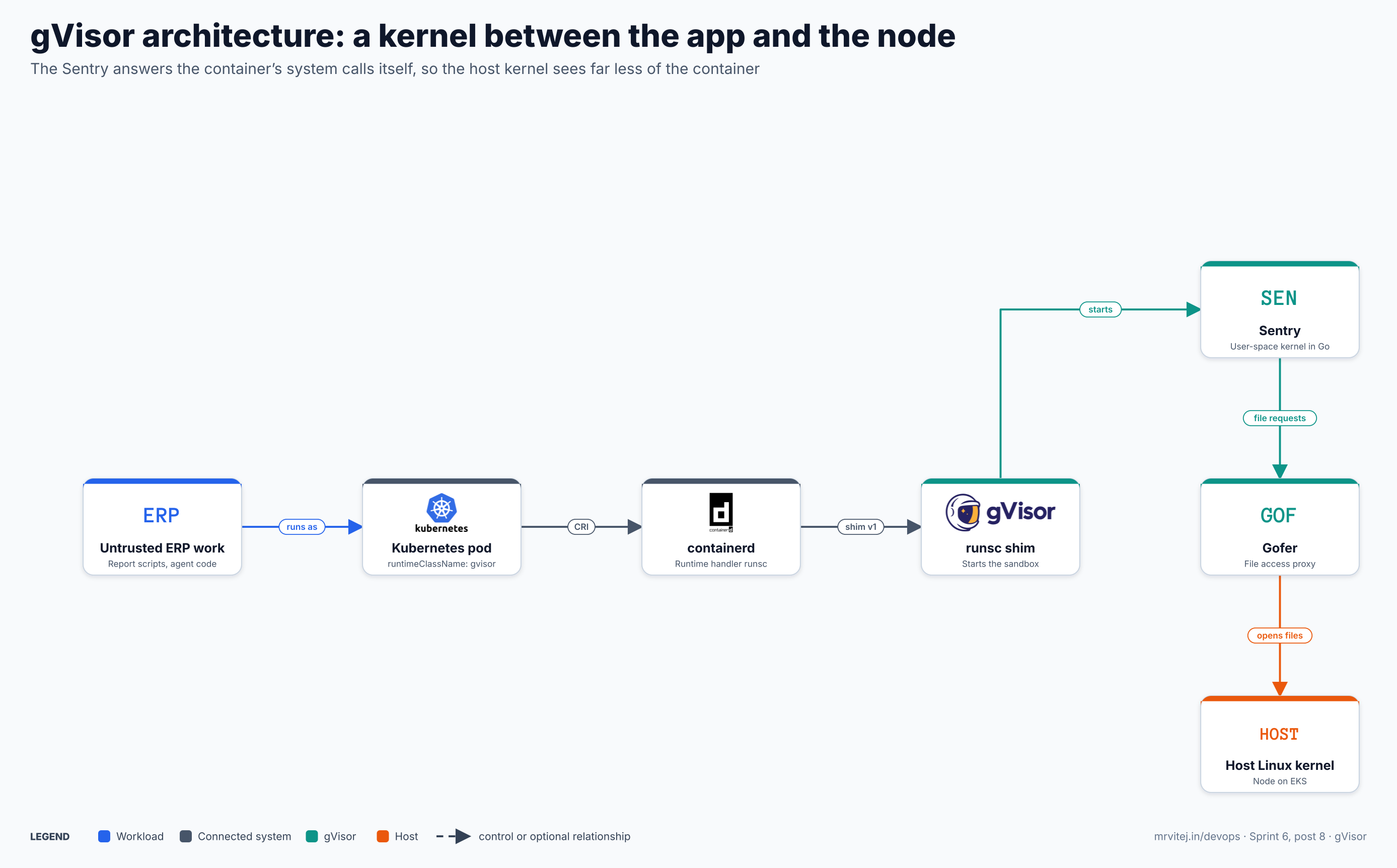
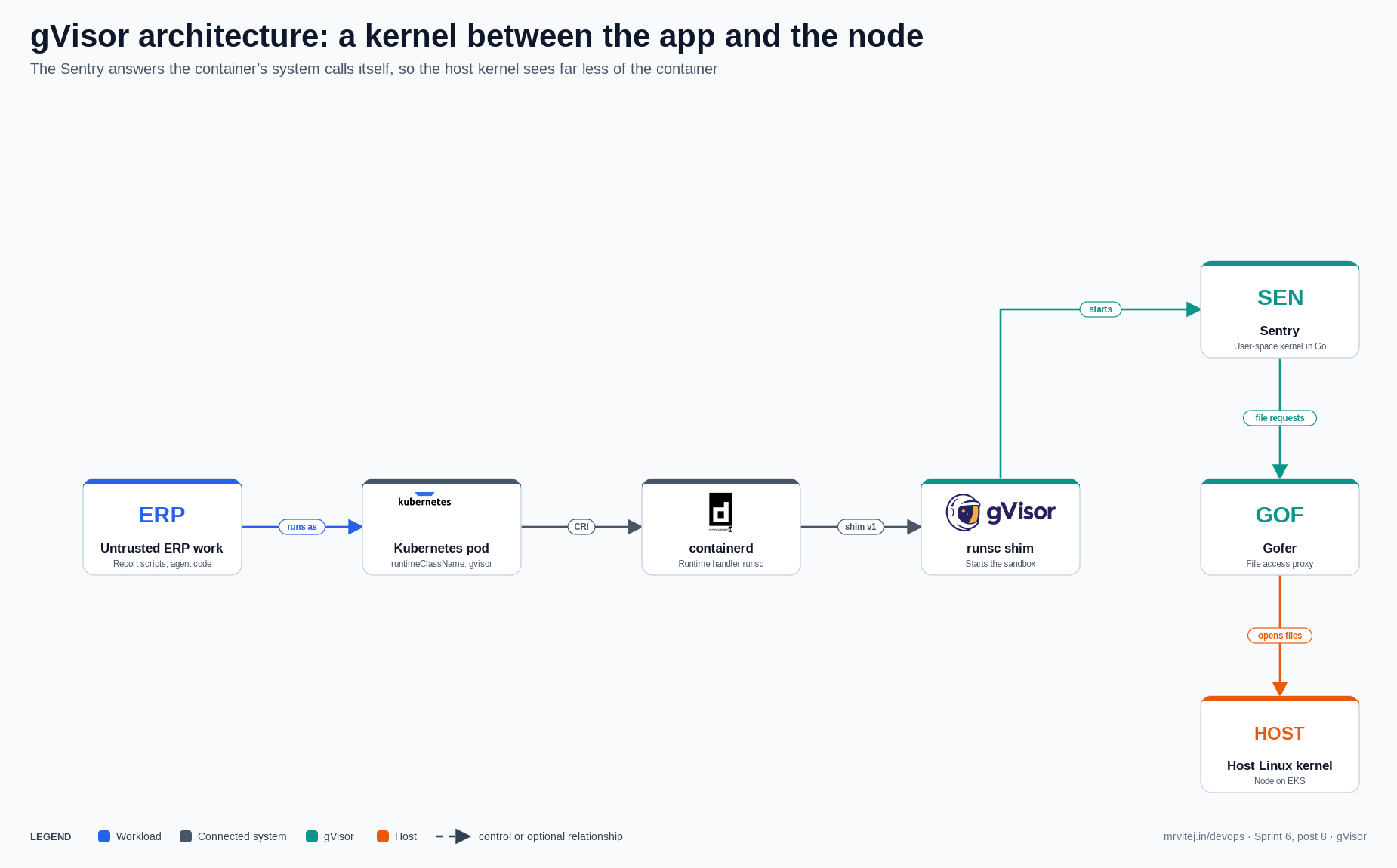
Blue is the workload, grey is a connected system, teal is gVisor and orange is the host. Open the zoomable diagram, or download it as SVG or PNG.
| Component | Responsibility |
|---|---|
| Untrusted ERP work | Report scripts uploaded by tenants and code generated by agents. |
| Kubernetes pod | Asks for the sandbox with one line, runtimeClassName: gvisor. |
| containerd | The CRI runtime on the node. See the containerd brief. It maps the runsc handler to the gVisor shim. |
| runsc shim | Creates the sandbox and starts the containers in it. |
| Sentry | Handles the application’s system calls itself. It also makes a reduced set of calls to the host. |
| Gofer | Opens host files for the sandbox. By default newer versions pass file descriptors to the Sentry (directfs); with it off, file operations go through the Gofer. |
| Host Linux kernel | The node’s kernel on EKS, which now sees far fewer of the container’s calls. |
From pod spec to sandboxed process
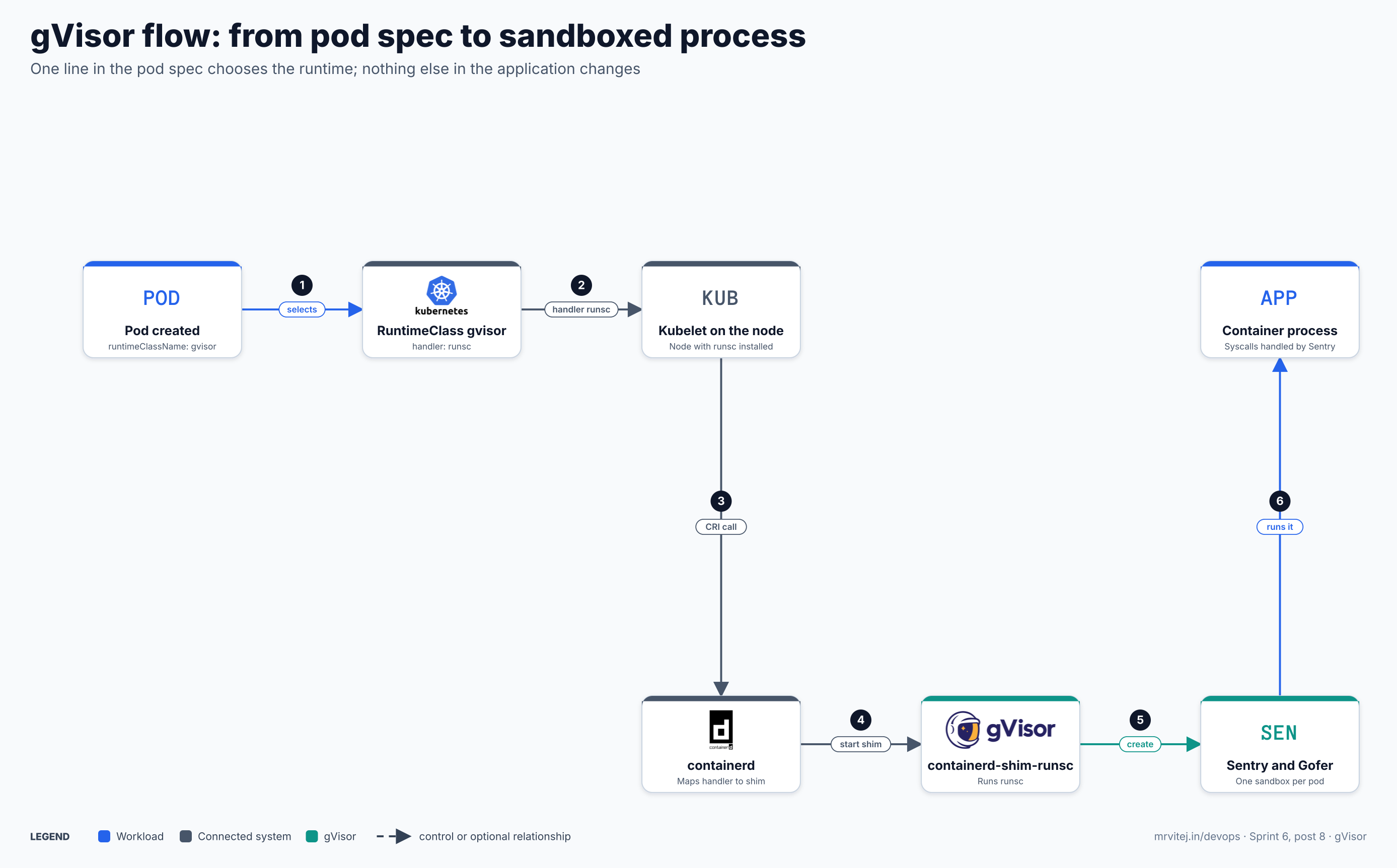
- Pod created. The pod names
runtimeClassName: gvisor. - RuntimeClass. The class maps
gvisorto therunschandler, and can pin the pod to nodes that have it. - Kubelet calls containerd. The node must have
runscand the shim installed. - Shim starts. containerd runs
containerd-shim-runsc-v1for that handler. - Sandbox created.
runscstarts a Sentry and a Gofer for the pod. - Process runs. The container’s system calls go to the Sentry.
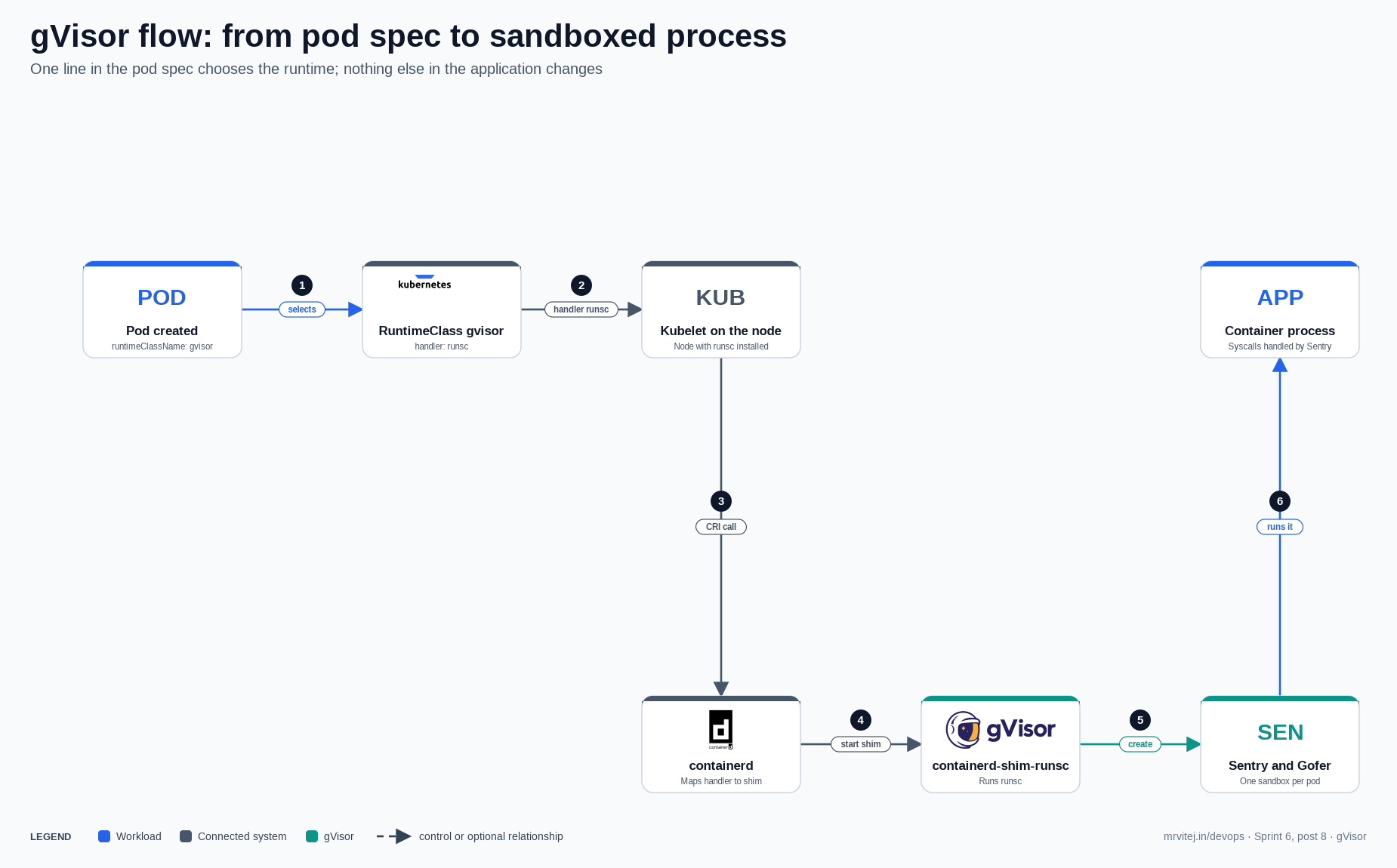
Open the zoomable flow diagram, or download it as SVG or PNG.
Real world: the report that tries to escape
An ERP lets finance teams upload their own report scripts. One tenant’s script calls an obscure kernel feature that has a known bug. In a normal pod, that call reaches the node’s kernel and, if it works, the attacker is on a machine that also runs other tenants’ pods. In a gVisor pod, the call lands in the Sentry, which either implements it safely in user space or refuses it. The attacker would need a flaw in the Sentry and then another in the narrow set of host calls it makes. Neither is impossible, but the path is longer and the host surface is smaller.
Install gVisor on a node
These steps follow the gVisor documentation for the containerd setup. I did not run them for this post, and an EKS managed node group needs the same steps done through a launch template or a custom AMI.
# 1. Install runsc and the containerd shim (check gvisor.dev/docs/user_guide/install for the current method)
ARCH=$(uname -m)
URL=https://storage.googleapis.com/gvisor/releases/release/latest/${ARCH}
wget ${URL}/runsc ${URL}/runsc.sha512 ${URL}/containerd-shim-runsc-v1 ${URL}/containerd-shim-runsc-v1.sha512
sha512sum -c runsc.sha512 -c containerd-shim-runsc-v1.sha512
chmod a+rx runsc containerd-shim-runsc-v1
sudo mv runsc containerd-shim-runsc-v1 /usr/local/bin

# 2. Register the handler with containerd (config.toml, containerd 1.x CRI plugin shown)
#    [plugins."io.containerd.grpc.v1.cri".containerd.runtimes.runsc]
#      runtime_type = "io.containerd.runsc.v1"
sudo systemctl restart containerd
The containerd configuration key names differ between containerd 1.x and 2.x, so use the form that matches your version. Then create the RuntimeClass, which the gVisor docs show as:
apiVersion: node.k8s.io/v1
kind: RuntimeClass
metadata:
  name: gvisor
handler: runsc
For the ERP, add a scheduling.nodeSelector so sandboxed pods land only on nodes that have the runtime, and an overhead section so the scheduler counts the sandbox’s own memory and CPU.
Try it
cat <<EOF | kubectl apply -f -
apiVersion: v1
kind: Pod
metadata:
  name: sandboxed-report
spec:
  runtimeClassName: gvisor
  restartPolicy: Never
  containers:
    - name: run
      image: python:3.12-slim
      command: ["sh", "-c", "dmesg | head -5; uname -a; sleep 3600"]
EOF
kubectl logs sandboxed-report
Inside a gVisor sandbox, dmesg prints boot messages from gVisor rather than from the host, which is the quick check the gVisor containerd guide uses (dmesg | grep -i gvisor). The uname output also reports a kernel version that does not match the node’s.
Production reference design
- Decide what is untrusted. Tenant scripts, uploaded macros, AI-generated code, document converters. Trusted core services stay on
runc. - Dedicated node group. Put gVisor on its own labelled and tainted nodes, so the runtime change is limited to the nodes that need it.
- One RuntimeClass. Use
schedulingandoverheadfields so pods land correctly and are sized honestly. - Defence in depth. Add a seccomp profile, drop capabilities, run as non-root, set resource limits, and use NetworkPolicy (Cilium is in the Sprint 6 plan) to keep sandboxed pods off sensitive services.
- Policy to force it. Use Kyverno to require
runtimeClassName: gvisorfor pods in the sandbox namespace, and to deny it elsewhere if needed. - Short-lived pods. Run each job in a fresh pod, and delete it after.
- Test compatibility. Run your real workloads on gVisor in staging before moving them.
- Watch it. Alert on sandbox start failures and on pods stuck in
ContainerCreating.
Security
- Smaller, not zero, host exposure. The Sentry still makes calls to the host, and the host kernel still matters. Keep nodes patched.
- Sentry bugs. A flaw in the Sentry could expose the sandbox; the Sentry itself runs under a restrictive host-level filter to limit what it can do.
- No shared secrets. Do not mount credentials into sandboxed pods, or give them a service account with cluster rights.
- Network. Isolation of the kernel is not isolation of the network; restrict egress.
- Stronger isolation. For the highest-risk workloads, a microVM runtime such as Firecracker or Kata gives a hardware boundary at higher cost.
Troubleshooting
This table comes from the gVisor documentation and community reports. I did not run gVisor for this post, so test each entry on your own nodes.
| Symptom | Likely cause | How to check | Fix |
|---|---|---|---|
Pod stuck in ContainerCreating |
runsc or the shim is missing on that node, or containerd was not restarted |
kubectl describe pod; journalctl -u containerd on the node |
Install both binaries, register the handler, restart containerd |
Error that the runtime handler runsc is not found |
RuntimeClass handler does not match the containerd runtime name | kubectl get runtimeclass; read containerd’s config |
Make the names match exactly |
| Pod scheduled to a node without gVisor | RuntimeClass has no scheduling.nodeSelector |
kubectl get runtimeclass gvisor -o yaml |
Add a nodeSelector and label the gVisor nodes |
Pod starts but kubectl exec fails |
Runtime or shim version mismatch | Check versions of runsc and the shim |
Install matching versions from the same release |
| Application fails with an unsupported syscall | The Sentry does not implement that call or feature | Application logs; run with debug logging on runsc |
Use a supported alternative, or keep the workload on runc |
| High CPU on I/O-heavy workloads | System-call and file overhead in the sandbox | Compare the same job on runc and runsc |
Use gVisor only where isolation outweighs speed, and test the file-access settings your version offers |
| Nested containers fail (KinD or Docker inside the pod) | gVisor does not support every feature those need | Pod logs; the project’s issue tracker | Run that workload on a different runtime |
| Pod works locally but not on EKS | The node image has no runsc | Check the AMI or launch template | Bake runsc into the node image or install it at boot |
| Docker runtime used instead of containerd | runsc was configured for Docker only |
kubectl get nodes -o wide shows the runtime |
Configure containerd on Kubernetes nodes that use it |
Usage cases
- Tenant-supplied code. Run customer scripts, macros and plug-ins in a sandbox.
- AI agent code execution. Run code written by a model without giving it the node’s kernel.
- CI for untrusted pull requests. Build and test code from outside contributors.
- Document and media conversion. Isolate parsers that handle untrusted files.
- In the Sprint 6 project. Report scripts and agent-generated code run in a gVisor RuntimeClass on a separate node group; Part 4 wires the copilot’s sandbox.
Operational considerations
- Overhead. Budget extra CPU and memory per sandbox and declare it in the RuntimeClass.
- Compatibility testing. Treat each new workload as a test case; keep a fallback runtime.
- Version pairing. Keep
runsc, the shim and containerd on versions that work together, and upgrade them together. - Node images. Bake the runtime into the AMI so scale-out nodes are ready.
- Observability. Debug logs from
runscare separate from container logs; know where they go before an incident. - Young in the CNCF. The project is old, but its time under CNCF governance is short, so follow its release notes.
Adoption
The Wikipedia entry and the Google announcement name Google among its users, and the Modal blog describes running gVisor at scale. I read only the headlines of those pages, so the details of each adopter are for you to check; I do not list a full adopters table here.
Alternatives
| Solution | Model | Best suited to |
|---|---|---|
| runc (default) | Shared host kernel with namespaces and cgroups | Trusted services where speed and full compatibility matter most |
| Kata Containers | Each pod in a lightweight VM | Stronger hardware isolation, with more memory and start-up cost |
| Firecracker | MicroVMs | Multi-tenant platforms that can build around microVMs |
| seccomp, AppArmor and SELinux profiles | Filter calls to the host kernel | Cheap hardening, usable with any runtime |
| WebAssembly runtimes | Run Wasm modules instead of Linux containers | New workloads that can compile to Wasm |
Strengths and limitations
| Strengths | Limitations |
|---|---|
| Fewer host-kernel calls exposed to untrusted code | Not every syscall or feature is supported |
| Works through RuntimeClass with no app changes | I/O and syscall-heavy workloads can slow down |
| Fits containerd, CRI-O, Docker and Kubernetes | Needs runtime installed and kept in step on every node |
| Lighter than a full VM per workload | Weaker boundary than a hardware VM |
| Now in CNCF, with Google and others behind it | New to the CNCF, so governance and docs may shift |
Recommendation
Adopt, for the sandbox only. Keep trusted ERP services on runc. Put the node group that runs tenant scripts and agent-generated code on gVisor, select it with a RuntimeClass, force it with a Kyverno rule, and add seccomp, non-root users and network policy on top. Test every workload on staging first. If a workload cannot run on gVisor, or needs a hardware boundary, use a microVM runtime for that case rather than loosening the sandbox.
References: gVisor docs · gVisor Kubernetes quick start · Containerd quick start · gVisor repository · gVisor is being donated to the CNCF · Google Open Source Blog, 5 November 2026 · CNCF Landscape entry