
A language model answers in prose. An ERP system needs a supplier name, a list of lines, a tax amount and a due date, in the right types, every time. The usual fix is to ask for JSON, parse it, and hope. When the model returns a string where you wanted a number, or leaves out a field, the pipeline breaks at 2 AM. Instructor puts a small layer in front of the model call: you describe the data you want as a Pydantic class, Instructor asks the model for exactly that shape, validates the reply, and, if validation fails, sends the error back to the model and tries again. The CNCF Landscape lists it under AI Agent › Structured Output as “structured outputs for llms”. It is a NON CNCF tool, a community open source project that is not a CNCF project.
CNCF daily · Sprint 6, post 13 of 26 · AI Agent (Structured Output) · NON CNCF
At a glance
| Category | AI Agent › Structured Output |
| CNCF status | NON CNCF, listed in the CNCF Landscape |
| Created by | Jason Liu and contributors; the repository is now under the 567-labs organisation (earlier under jxnl) |
| Licence | MIT |
| Language | Python; the project also lists TypeScript, Go, Ruby, Elixir and Rust versions |
| Version seen | 1.15.0 on PyPI; an older mirror listing showed Python >=3.9,<4.0, so check the current requirement |
| Core idea | response_model= on the normal client call, plus max_retries= |
| Providers | OpenAI, Anthropic, Google, Ollama, DeepSeek and more through from_provider, and OpenAI-compatible servers |
| Runs as | A library inside your service; there is no server to deploy |
The problem Instructor solves
| Question | Hand-written JSON parsing | Instructor |
|---|---|---|
| Describing the shape | A JSON schema you write and keep in sync | A Pydantic class, which is also your type |
| Wrong type or missing field | An exception in your code | Caught by validation, and sent back to the model |
| Business rules | Extra if checks after parsing |
Pydantic validators on the same class |
| Different providers | Different request formats | One call style across providers |
| Long lists | Wait for the full reply | Streaming of partial and iterable results |
| Observability | Wrap every call yourself | Hooks around the request, reply and errors |
Key concepts
| Term | Meaning |
|---|---|
| response_model | The Pydantic class you want back; passed to the normal create call |
| from_provider | Builds an Instructor client from a string such as openai/gpt-4o-mini; older code uses from_openai or instructor.patch |
| Mode | How the schema is sent: tool or function calling, JSON mode, or provider-specific modes |
| max_retries | How many times to re-ask after a validation failure |
| Validators | Pydantic rules on fields or the whole object; a failure message is fed back to the model |
| Partial and Iterable | Helpers for streaming a growing object or a list of objects |
| Hooks | Callbacks to log or measure each stage of a call |
| Validation context | Extra data (for example the source text) handed to validators |
Architecture
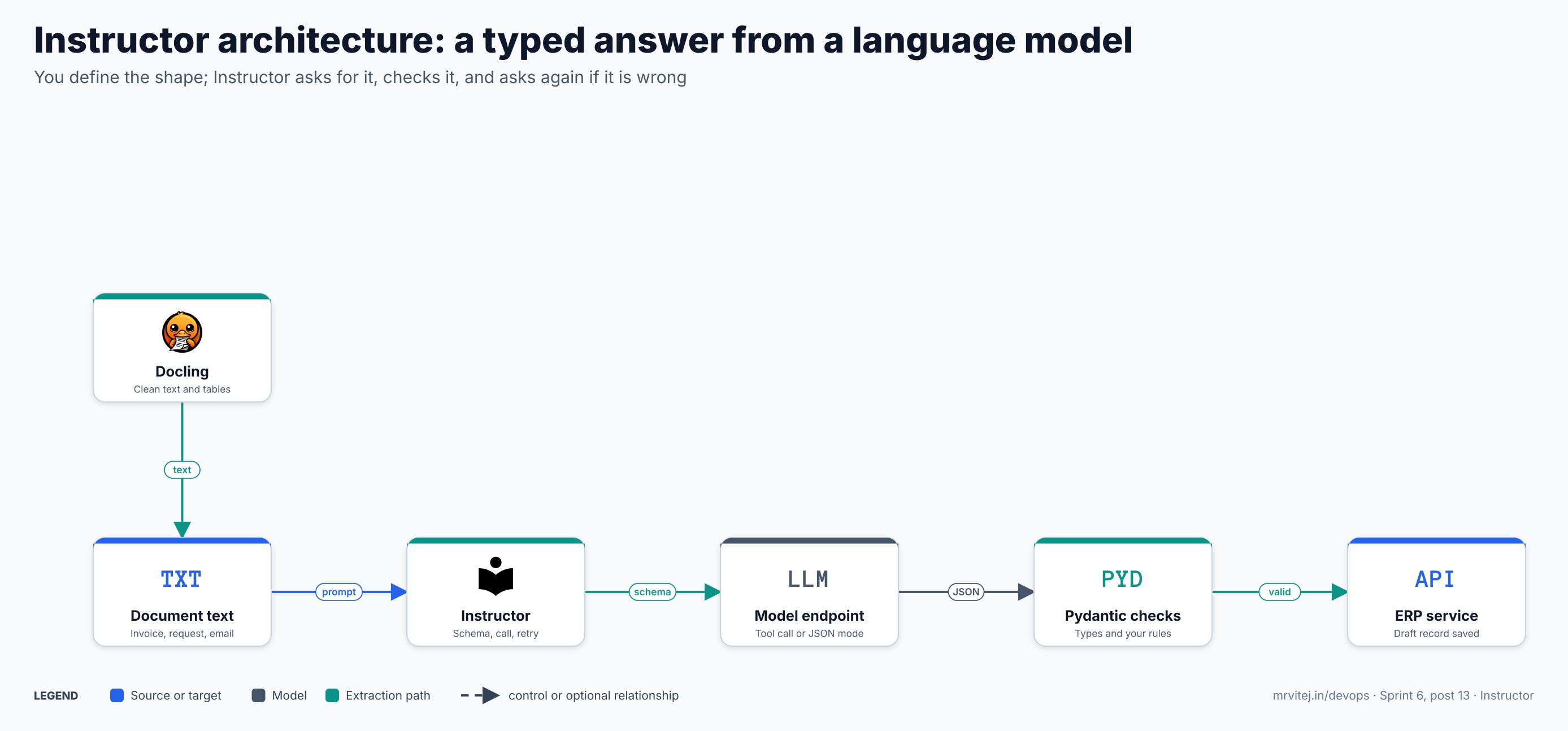
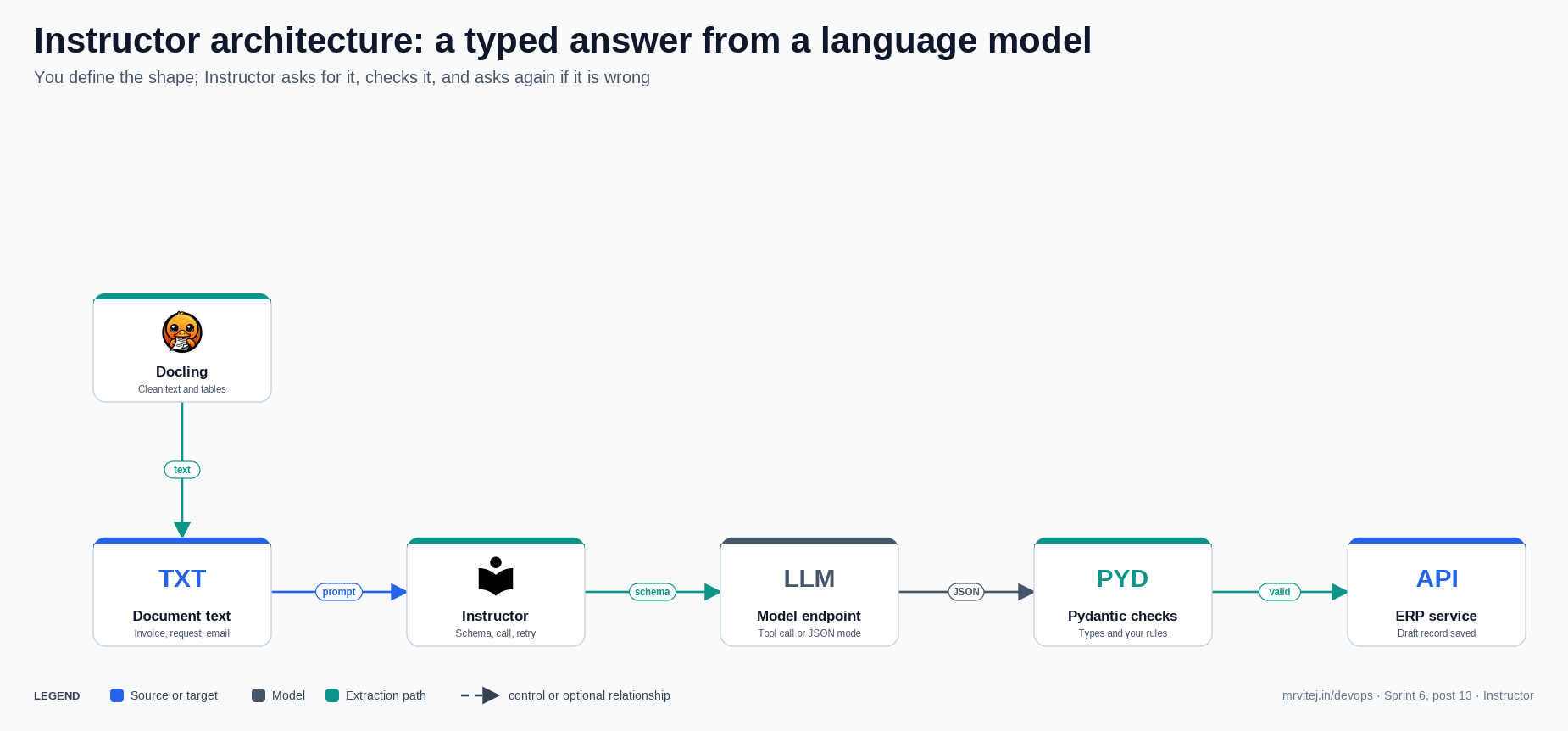
Blue is the source or target, grey is the model and teal is the extraction path. Open the zoomable diagram, or download it as SVG or PNG.
| Component | Responsibility |
|---|---|
| Docling | Produces clean text and tables from files. See the Docling brief. |
| Document text | The input: an invoice, a purchase request or an email. |
| Instructor | Builds the request from your Pydantic class, calls the model, validates, and retries. |
| Model endpoint | Any model API Instructor supports, including a self-hosted OpenAI-compatible server. |
| Pydantic checks | Types, required fields and your own rules. |
| ERP service | Receives the typed object and saves it as a draft. |
From invoice text to a validated draft
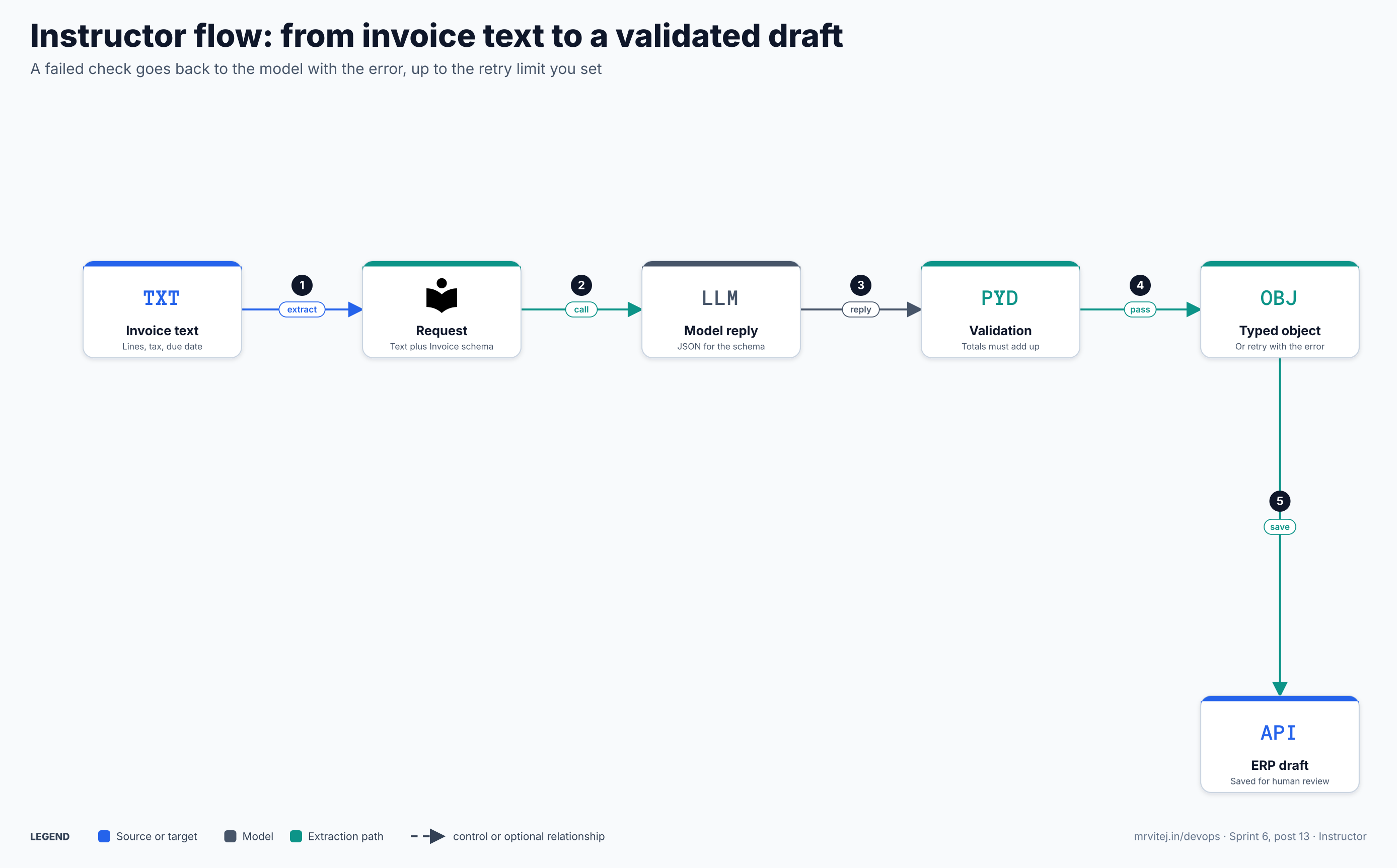
- Extract. The invoice text is taken from Docling’s output.
- Call. Instructor sends the text and the
Invoiceschema to the model. - Reply. The model answers with JSON for that schema.
- Validate. Pydantic checks types and rules, for example that the lines add up to the total. On failure the error is sent back and the call is retried, up to
max_retries. - Save. A valid object is saved as a draft for a person to review.
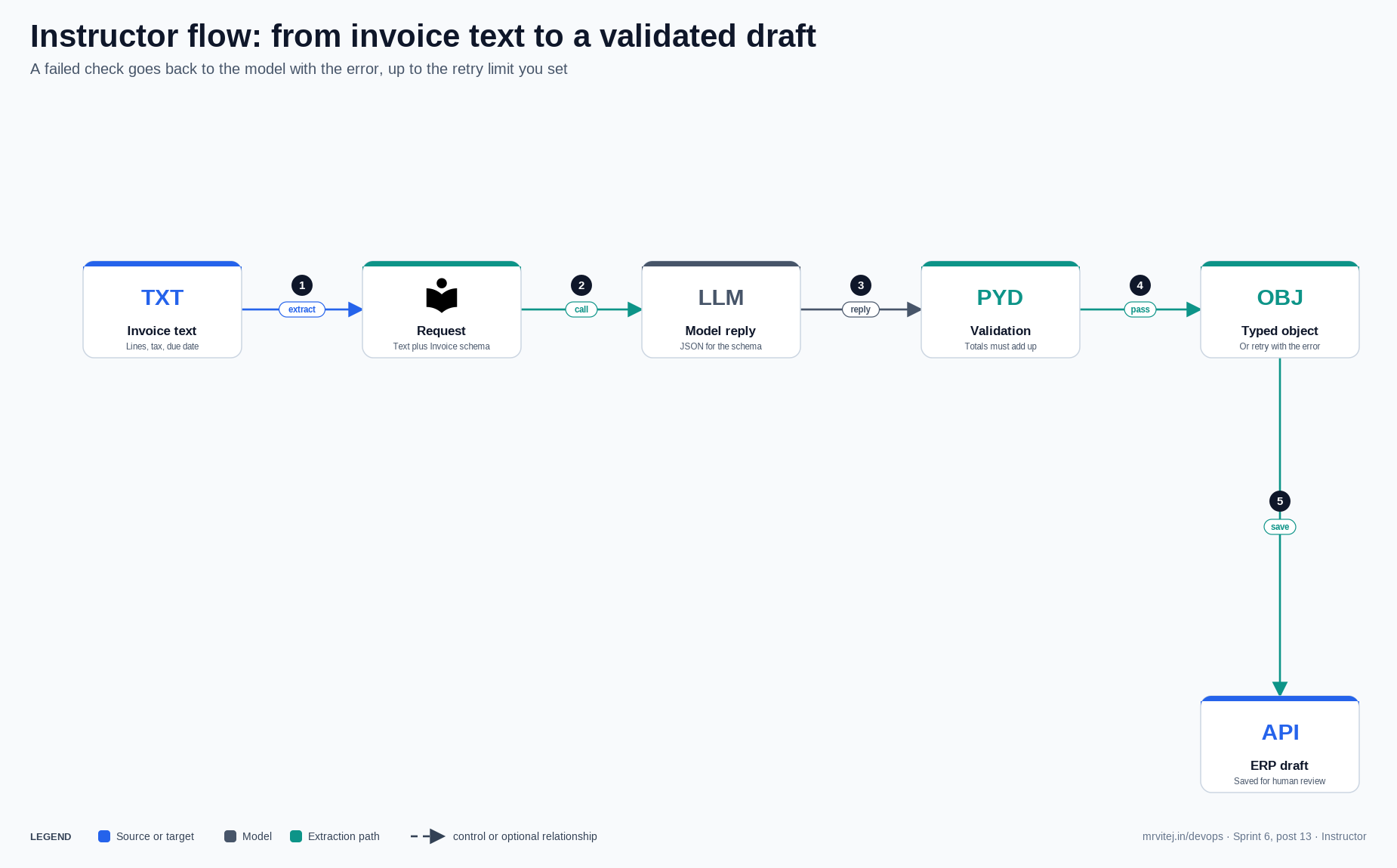
Open the zoomable flow diagram, or download it as SVG or PNG.
Real world: the invoice whose lines do not add up
A supplier invoice arrives with three lines, a tax amount and a total. The model reads it quickly and returns a total that is 1,000 higher than the sum of the lines, because it misread a 7 as a 1 in one line. With plain JSON parsing, that wrong number goes straight into the draft. With Instructor, the Invoice class has a validator that checks the lines against the total. The check fails, the error message (“lines sum to 48,200 but total is 49,200”) goes back to the model, and the second attempt reads the figure correctly. If it still fails after the retry limit, the call raises an error and the invoice goes to a person. The rule lives in your code, not in a prompt.
Install Instructor
These steps follow the Instructor README and docs. I did not run them for this post.
python3 -m venv .venv && source .venv/bin/activate
pip install instructor            # or: uv add instructor / poetry add instructor
export OPENAI_API_KEY=...         # or the key for the provider you use
Provider SDKs may need their own extras or packages. For example, the docs say Cohere needs pip install cohere with CO_API_KEY set, and Gemini tool calling needs jsonref. For a self-hosted model, point an OpenAI-compatible client at your server’s base URL and use a JSON mode; check which modes your server supports.
In a container, install it like any Python dependency and pin the version in requirements.txt:
FROM python:3.12-slim
WORKDIR /app
COPY requirements.txt .
RUN pip install --no-cache-dir -r requirements.txt   # includes instructor==<pinned version>
COPY . .
CMD ["python", "-m", "erp_extract"]
There is nothing to run on the cluster for Instructor itself. It is part of the service that calls the model, so deploy that service as a normal Deployment or Job, with the API key in a Secret.
Try it
import instructor
from pydantic import BaseModel, field_validator, model_validator

class Line(BaseModel):
    description: str
    amount: float

class Invoice(BaseModel):
    supplier: str
    lines: list[Line]
    total: float

    @model_validator(mode="after")
    def totals_match(self):
        if abs(sum(l.amount for l in self.lines) - self.total) > 0.01:
            raise ValueError("line amounts do not add up to the total")
        return self

client = instructor.from_provider("openai/gpt-4o-mini")   # the docs also show anthropic/..., google/..., ollama/...

invoice = client.chat.completions.create(
    response_model=Invoice,
    max_retries=3,
    messages=[{"role": "user", "content": invoice_text}],
)
print(invoice.model_dump_json(indent=2))
The response_model and max_retries arguments and the from_provider call are the documented pattern. The validator is an example for this series, and the model name is only an example; use one you have access to. Provider and mode details change between versions, so check the docs for yours.
Production reference design
- One schema per document type. Keep
Invoice,PurchaseRequestand similar classes in a shared package, versioned with the service. - Put the business rules in validators. Totals, date ranges and allowed codes belong in the class, so a failed rule triggers a retry with a clear message.
- Limit retries. Set
max_retrieslow, count retries per document, and route failures to a person. - Draft, then review. Save results as drafts; a human approves anything that moves money.
- Use hooks and tracing. Log prompts, replies, validation errors and retry counts; a later post in this series covers an observability tool for this.
- Keep keys in Secrets. Do not bake API keys into images.
- Cap cost. Retries multiply token use; track tokens per document and alert on outliers.
- Test with a gold set. Keep real, anonymised documents with known answers and run them on every change to a schema, a prompt or the model.
- Pin versions. Pin
instructor,pydanticand the provider SDK together.
Security
- Untrusted text. An invoice can contain instructions meant for the model. Validation checks the shape of the reply, not whether the content is honest, so keep a human review step for anything that moves money.
- Secrets. Keep model API keys in Kubernetes Secrets and limit which pods can read them.
- Data leaving the cluster. Sending text to a hosted model sends your data to that provider; for confidential documents use a model you host, and say so in your data policy.
- Validators are not a security boundary. They catch malformed or inconsistent data, not a convincing but false value.
- Logging. Prompts and replies may hold personal or financial data; protect and limit the logs.
Troubleshooting
This table comes from the Instructor documentation and general Pydantic behaviour. I did not run Instructor for this post, so test each entry in your own environment.
| Symptom | Likely cause | How to check | Fix |
|---|---|---|---|
response_model not accepted |
The client was not wrapped by Instructor | Check you created it with from_provider or from_openai |
Build the client through Instructor |
| Validation error after all retries | The rule is too strict, or the text lacks the data | Log the last error and the input | Relax the rule, make the field optional, or fix the input |
| Wrong mode errors with a local model | The server lacks tool calling | Server docs and logs | Use a JSON mode that the server supports |
| Reply cut off | max_tokens too small for the schema |
Compare the reply length with the limit | Raise the token limit or split the document |
| Cost is higher than expected | Retries and long prompts | Tokens per call in your logs | Lower max_retries, shorten the input, simplify the schema |
| Fields are made up when the text has none | The schema forces a value | Look at which fields are required | Make fields optional or add an explicit “not found” value |
| Works on one provider, fails on another | Different modes and schema support | Run the same document on both | Set the mode for each provider and test it |
| Import error after an upgrade | The API changed between versions | Release notes | Pin the version and follow the migration notes |
| Slow responses | Several sequential retries | Time per attempt in logs | Reduce retries, use a faster model for easy documents |
Usage cases
- Invoice and purchase-request extraction. Turn text into typed drafts.
- Classification with fixed labels. Return one of a set of allowed values.
- Form filling from emails. Pull fields out of free text.
- Streaming lists. Extract many items from a long document as they appear.
- In the Sprint 6 project. The AI copilot uses Instructor to turn Docling output from supplier documents into typed purchase and invoice drafts, which the ERP stores for review.
Operational considerations
- Schema changes are migrations. A renamed field changes the prompt and the results; version schemas and re-run the gold set.
- Model changes. A new model can behave differently on the same schema, so retest.
- Retries cost money. Track the rate of first-attempt success per document type.
- Dependency drift. Instructor, Pydantic and the provider SDKs move quickly; pin and upgrade together.
- Not CNCF. It is a community project, so follow its releases and plan for API changes.
Adoption
The project describes itself as the most popular Python library for structured outputs and reports over a million monthly downloads on its PyPI page. I did not verify named production users, so none are listed.
Alternatives
| Solution | Model | Best suited to |
|---|---|---|
| Provider structured outputs | JSON schema support built into a model API | Single-provider setups that want no extra library |
| PydanticAI | Agent framework from the Pydantic team | Teams that want agents and typed outputs together; the Instructor docs point readers to it |
| LangChain structured output | Part of a larger framework | Teams already built on LangChain |
| Outlines | Constrained generation at decoding time | Self-hosted models where output must follow a grammar |
| LMQL | A language for constraint-guided LLM programming | Programmatic control of generation |
| Manual JSON and parsing | Prompt, parse, check | Very simple, low-volume cases |
Strengths and limitations
| Strengths | Limitations |
|---|---|
| Small API: one extra argument on the normal call | Python-first; other languages use separate libraries |
| Validation errors guide the retry | Retries add cost and latency |
| Works across many providers | Modes and features differ by provider |
| Business rules live in typed code | A valid shape can still hold a wrong value |
| No server to run | API has changed across versions, so pin it |
| MIT licence | Not a CNCF project; governed by its maintainers |
Recommendation
Adopt for extraction and drafting. Define one Pydantic class per document type, put your business rules in validators, set a low retry limit, and save results as drafts for review. Run your gold-set documents on every schema or model change. Use a self-hosted model for confidential documents. If you only ever call one provider and its built-in structured output is enough, the library may be more than you need.
References: Instructor documentation · Instructor repository · Instructor on PyPI · Instructor README · LiteLLM and Instructor tutorial · Latent Space wiki entry · CNCF Landscape entry