
Kruize (the kruize/autotune project) is an open source tool that recommends how much CPU and memory Kubernetes workloads should request. Most clusters waste money because requests are guessed once and never revisited, or they fail because limits are too tight. Kruize reads the usage history that Prometheus (or Thanos) already holds, analyses each container and publishes right-sizing recommendations, which people or automation can then apply. It is a NON CNCF tool: the CNCF Landscape lists it under Observability and Analysis › Continuous Optimization, but it is not a CNCF project. Red Hat describes Kruize as the engine behind resource optimization in OpenShift, and the Landscape entry lists IBM as the organisation. It is released under Apache 2.0.
CNCF daily · Sprint 3, post 20 of 21 · Continuous Optimization · NON CNCF
At a glance
| Category | Observability and Analysis › Continuous Optimization |
| CNCF status | NON CNCF, listed in the CNCF Landscape |
| License | Apache 2.0 |
| Input | Usage history from Prometheus or Thanos, described by metadata and metric profiles |
| Recommends | CPU and memory requests and limits for containers and namespaces; NVIDIA GPU MIG slices; JVM and Quarkus runtime settings (alpha) |
| Terms | Short (24 hours), medium (7 days) and long (15 days), each with a cost-optimized and a performance-optimized suggestion |
| Interfaces | REST API (createExperiment, generateRecommendations, listRecommendations), a web UI and a separate operator |
| Platforms | Kubernetes (kind, Minikube) and OpenShift |
| Latest release | v0.11.1 (15 July), after v0.11 (2 July), which added podCount metrics to profiles and a new recommendations endpoint |
Architecture
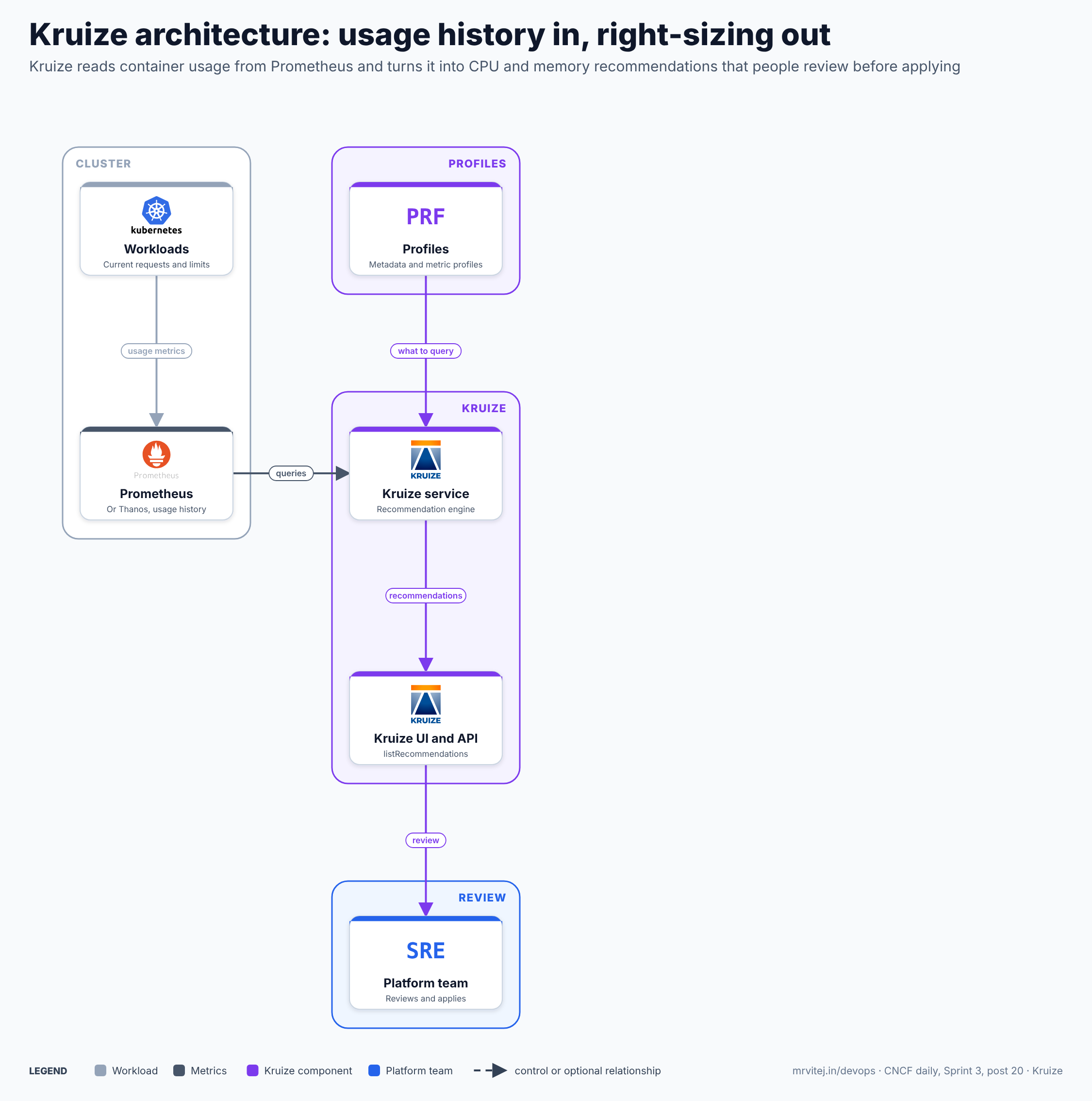
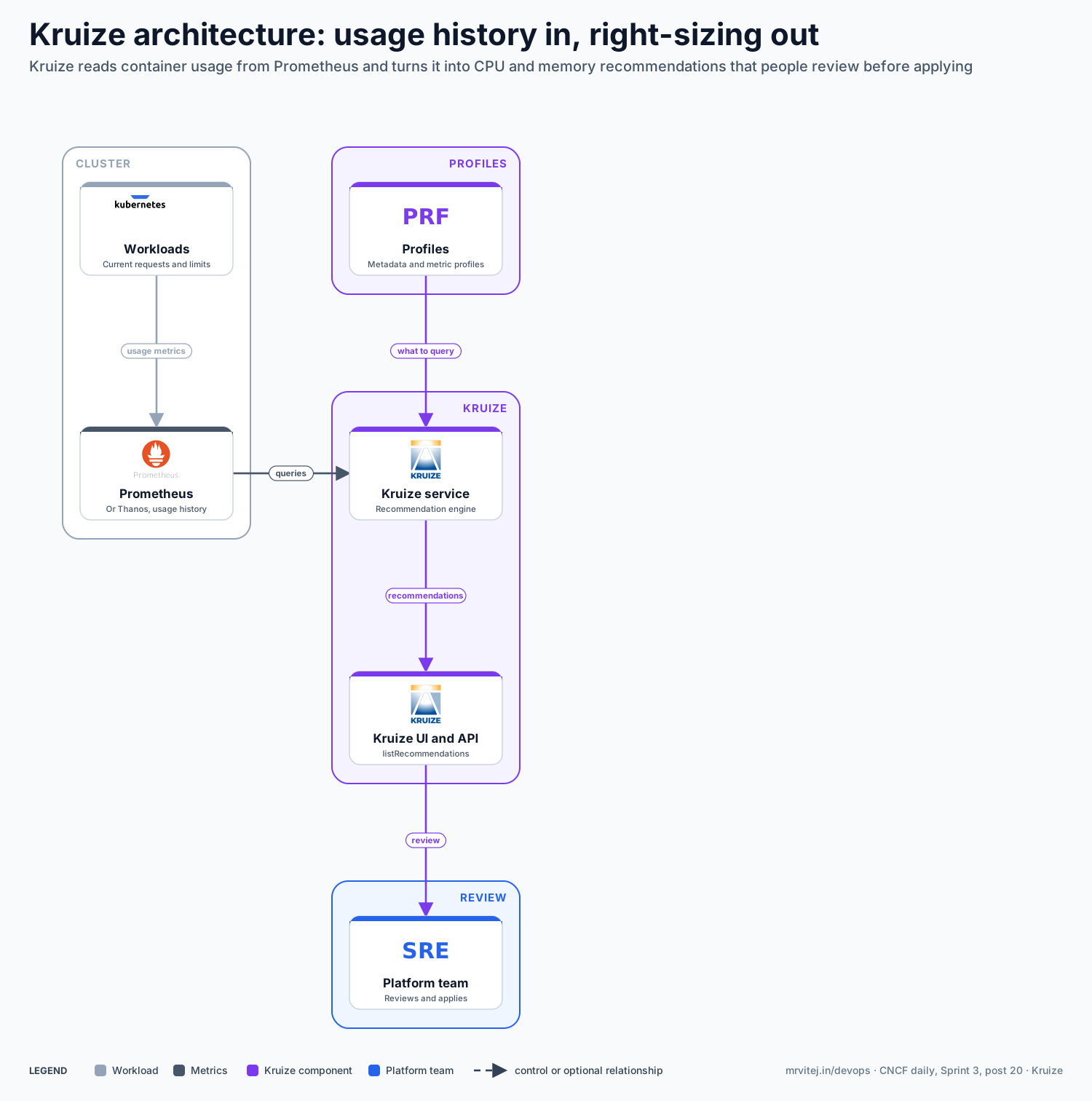
Slate is the workload and its metrics, purple the Kruize components and blue the platform team. Kruize only recommends: a person or a pipeline applies the change. Open the zoomable diagram, or download it as SVG or PNG.
| Component | Responsibility |
|---|---|
| Workloads | Run with the requests and limits you set today and produce the usage that is measured. |
| Prometheus or Thanos | Stores container CPU and memory history, which Kruize queries. |
| Profiles | A metadata profile tells Kruize how to discover workloads in the data source; a metric profile lists the queries and optimization goals. |
| Kruize service | The recommendation engine. It analyses each container per term and produces cost and performance recommendations. |
| Kruize UI and API | Show and return recommendations, including utilisation against requests. |
| Platform team | Reviews recommendations and changes manifests, a VPA or a pipeline. |
Design principle. Recommend from evidence you already have. Kruize adds no agent to the workloads: it reuses existing monitoring data and leaves the decision to apply with people.
Request flow
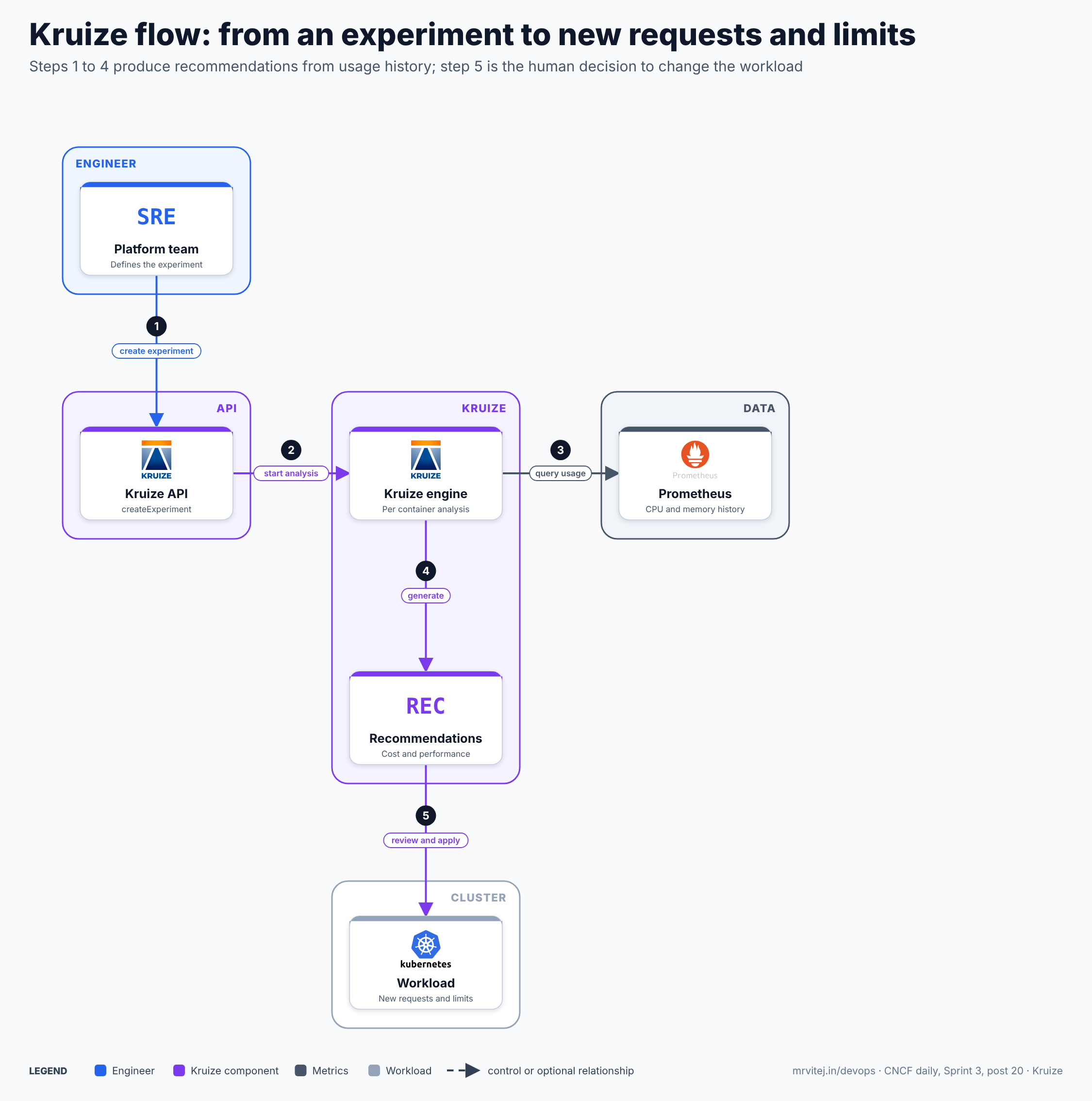
- Create an experiment. The team installs the profiles, imports data-source metadata and creates an experiment for a container or a namespace with
createExperiment. - Start the analysis. The API hands the experiment to the engine.
- Query usage. The engine queries Prometheus for CPU and memory history. At least two data points (about 30 minutes by default) are needed before a first result.
- Generate. Calling
generateRecommendationsproduces recommendations for the 24-hour, 7-day and 15-day terms, each with a cost-optimized and a performance-optimized variant. - Review and apply. The team reads them with
listRecommendationsor the UI and changes the workload’s requests and limits.
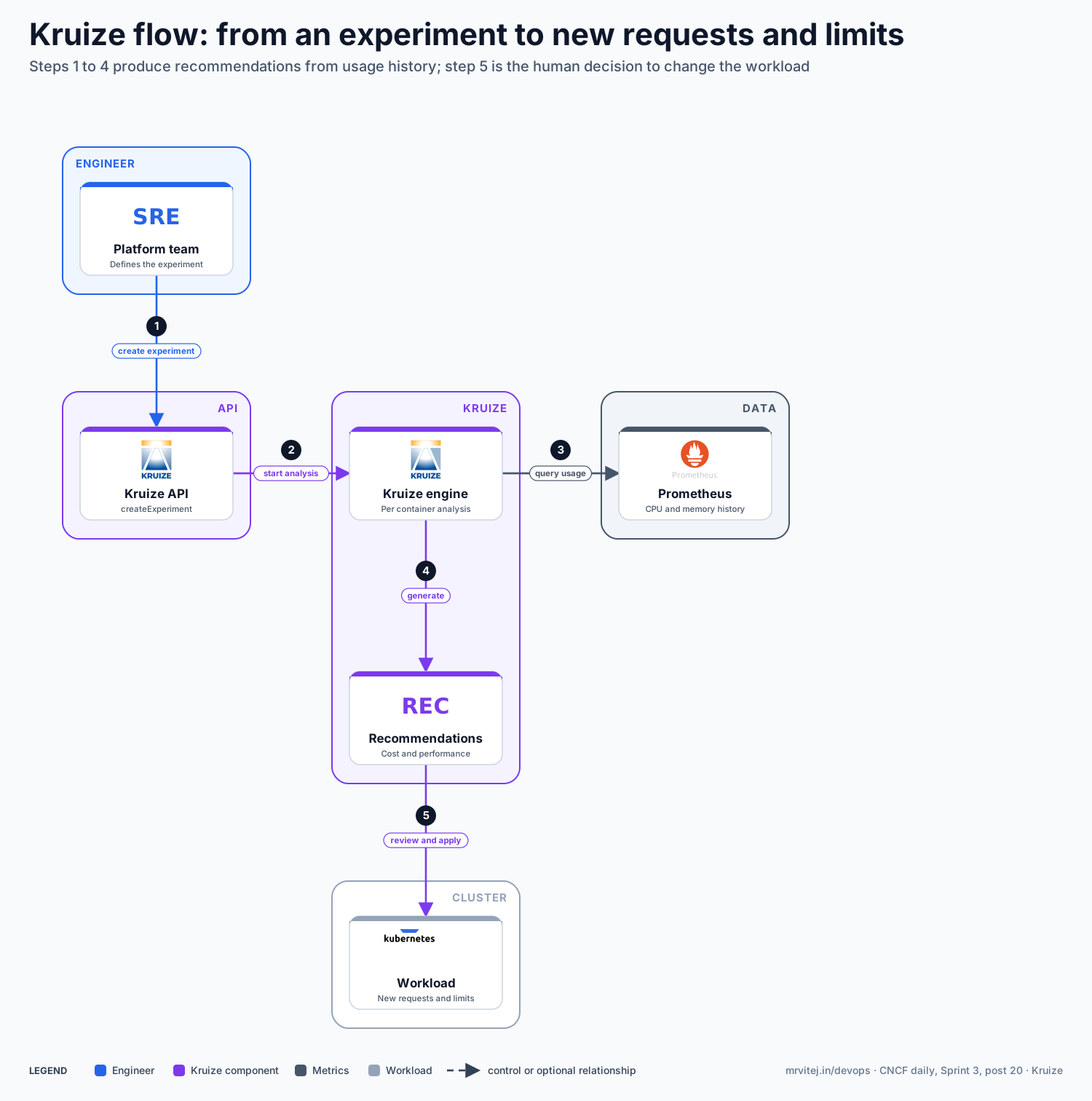
Open the zoomable flow diagram, or download it as SVG or PNG.
Production reference design
This Sprint 3 design runs Kruize next to Prometheus in the cloud cluster on Google Compute Engine (self-managed Kubernetes with Calico) and reads the edge clusters’ usage through a central Prometheus or Thanos.
- Make sure the data exists. Run Prometheus (or Thanos) with container metrics from every cluster, and keep at least 15 days of retention so the long term can be calculated. Workloads should have run for a while before you trust results.
- Install Kruize with the project’s deploy script or the Kruize operator, choosing the target for your cluster type. Expose the API and UI only inside your network, for example behind an internal Cloud Load Balancing address (GCP), and protect them with network policy.
- Install the profiles. Post the metadata profile and metric profile to the API, then import the data-source metadata so Kruize can discover workloads:
POST /createMetadataProfile POST /createMetricProfile POST /dsmetadata - Create an experiment with
POST /createExperimentfor each container or namespace you want to size, one per environment to start. - Read the recommendations with
GET /listRecommendations?experiment_name=<name>once data has accumulated. - Apply with a rule. The project’s guidance is to use the performance-optimized, 15-day recommendation in production and to change a workload only when the recommendation differs significantly from the current setting. In non-production, use the cost-optimized, 24-hour recommendation and update more often.
Typical uses include cutting over-provisioned requests, finding containers with no requests or limits, sizing namespaces and quotas, and shrinking the node pools that edge and cloud clusters need.
Operational considerations
- Recommendations are not changes. Kruize does not rewrite your manifests. Decide who applies them, and how, before you start.
- Data quality. Results depend on the usage history. Short-lived workloads, new services and unusual traffic periods give weak recommendations; wait for a representative window.
- Request equals limit. The recommendations set the same value for request and limit, which suits predictable workloads but may be stricter than your current policy.
- Algorithms change. Red Hat notes that the percentile settings behind cost and performance variants may change, so read release notes when you upgrade.
- Warnings. Kruize flags idle containers (under one millicore of CPU) and containers that lack requests or limits, which is a good first cleanup list.
- Release maturity. The project is at v0.11, so expect API changes, and keep versions pinned.
Adoption
- Red Hat uses Kruize as the engine behind resource optimization for OpenShift, and a Red Hat engineering article reports a reduction of more than 40% in overall resource usage when a whole cluster is optimised this way (an illustrative figure, not a guarantee).
- The Landscape entry lists IBM as the organisation.
- No other named adopters are published on the pages checked; see the repository for current users.
Alternatives
| Solution | Model | Best suited to |
|---|---|---|
| Vertical Pod Autoscaler | Built-in controller that recommends or applies requests | Teams that want automatic resizing without a separate service |
| Karpenter | Node provisioning and consolidation | Right-sizing the nodes after the pods are right-sized; see the Karpenter brief |
| OpenCost (CNCF Incubating) | Cost allocation and reporting | Seeing where money goes before changing requests |
| Goldilocks | Dashboard on top of VPA recommendations | A simple view of VPA suggestions |
| StormForge / commercial tools | Managed optimization | Teams that want vendor support and automation |
Strengths and limitations
| Strengths | Limitations |
|---|---|
| Uses existing Prometheus data with no agent on workloads | Not a CNCF project; version 0.x with changing APIs |
| Cost and performance variants over three time terms | Recommends only; applying changes is your job |
| Container, namespace and GPU slice recommendations | Needs enough history and good profiles |
| Backed by Red Hat’s OpenShift optimization work | Few named public adopters |
| Apache 2.0, with REST API, UI and operator | Setup involves several API calls and profiles |
Recommendation
Trial for platform teams with Prometheus in place and clear over-provisioning. Start with one non-production namespace, compare Kruize’s suggestions with what VPA would suggest, and set a rule for when recommendations are applied. Move to production only after you have seen the results over a full 15-day window.
References: Kruize wiki · Kruize releases · How Kruize optimizes OpenShift workloads (Red Hat) · Kruize website · CNCF Landscape entry