
A copilot that answers questions about contracts, policies and past tickets needs semantic search: finding text by meaning, not by keyword. That needs a place to store embeddings, which are long lists of numbers, and a way to find the nearest ones fast. pgvector adds this to PostgreSQL as an extension: a vector column type, distance operators and approximate indexes. For an ERP that already runs PostgreSQL, the appeal is that the vectors sit in the same database as tenants, owners, dates and permissions, so one SQL query can combine “similar to this question” with “belongs to this tenant and was updated this year”. It is a NON CNCF tool: the CNCF Landscape lists it under AI Agent › Vector Database with the description “Open-source vector similarity search for Postgres”, but it is not a CNCF project.
CNCF daily · Sprint 6, post 10 of 26 · AI Agent · NON CNCF
At a glance
| Category | AI Agent › Vector Database |
| CNCF status | NON CNCF, listed in the CNCF Landscape |
| What it is | A PostgreSQL extension, installed per database with CREATE EXTENSION vector |
| Search | Exact nearest neighbour by default; approximate with HNSW or IVFFlat indexes |
| Distances | L2 <->, negative inner product <#>, cosine <=>, L1 <+>, plus Hamming and Jaccard for bit vectors |
| Types and limits | vector up to 2,000 dimensions, halfvec up to 4,000, bit up to 64,000, sparsevec up to 1,000 non-zero elements |
| PostgreSQL support | The 0.8.3 documentation says PostgreSQL 13 and newer |
| Latest version I saw | 0.8.3 in the documentation; check the repository for the current release |
| Managed options | Documented for Amazon Aurora PostgreSQL (0.8.0 article); check RDS for the version your engine offers |
The problem pgvector solves
| Question | Separate vector database | pgvector in PostgreSQL |
|---|---|---|
| Where do embeddings live | A second system | The same database as the business data |
| Filter by tenant, owner or date | Metadata copied into the vector store and kept in sync | A normal WHERE clause on the real columns |
| Transactions | Separate | Same transaction as the row it describes |
| Backups and access control | Another system to secure and restore | The PostgreSQL ones you already have |
| Scale ceiling | Built for very large vector counts | Good for modest to large collections; very large ones need care |
| The cost | Another system to run | Vector indexes use memory and compete with ERP load |
Key concepts
| Term | Meaning |
|---|---|
| Embedding | A vector of numbers produced by a model; similar meanings give nearby vectors |
| vector(n) | The column type for an embedding with n dimensions |
| Distance operator | <-> for L2, <=> for cosine and <#> for negative inner product |
| Exact search | With no index, PostgreSQL scans every row. It gives perfect recall and is slow on large tables |
| Approximate search | An index trades a little recall for speed. Results can differ from exact search |
| HNSW | A multilayer graph index. Better speed-recall trade-off, slower to build and larger in memory |
| IVFFlat | Divides vectors into lists and searches the closest ones. Builds faster and uses less memory |
| ef_search | HNSW setting for how many candidates a query examines; the default is 40 |
| probes | IVFFlat setting for how many lists a query searches; the default is 1 |
| Iterative index scan | From 0.8.0, a filtered query keeps scanning the index until it finds enough matching rows |
Architecture
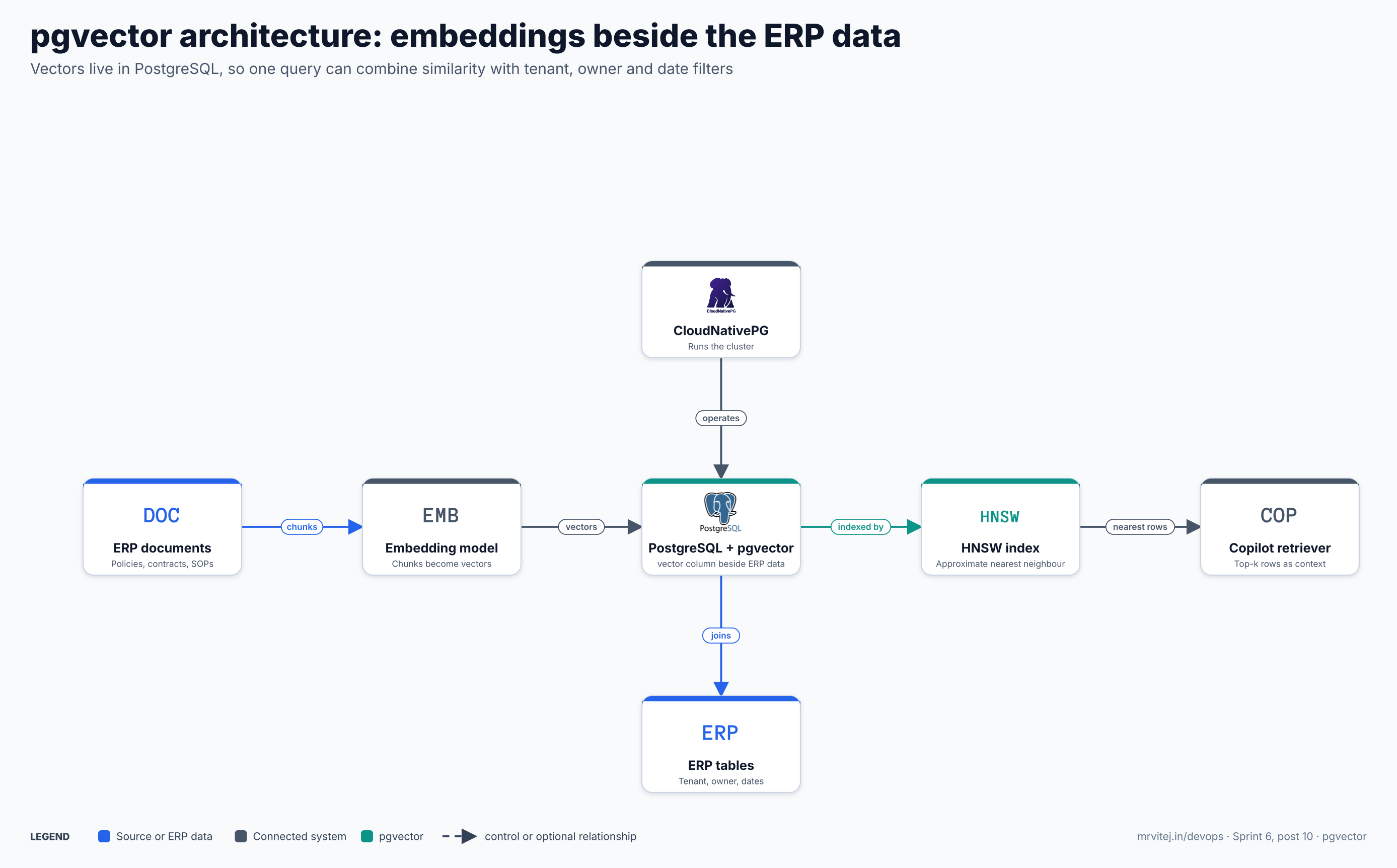
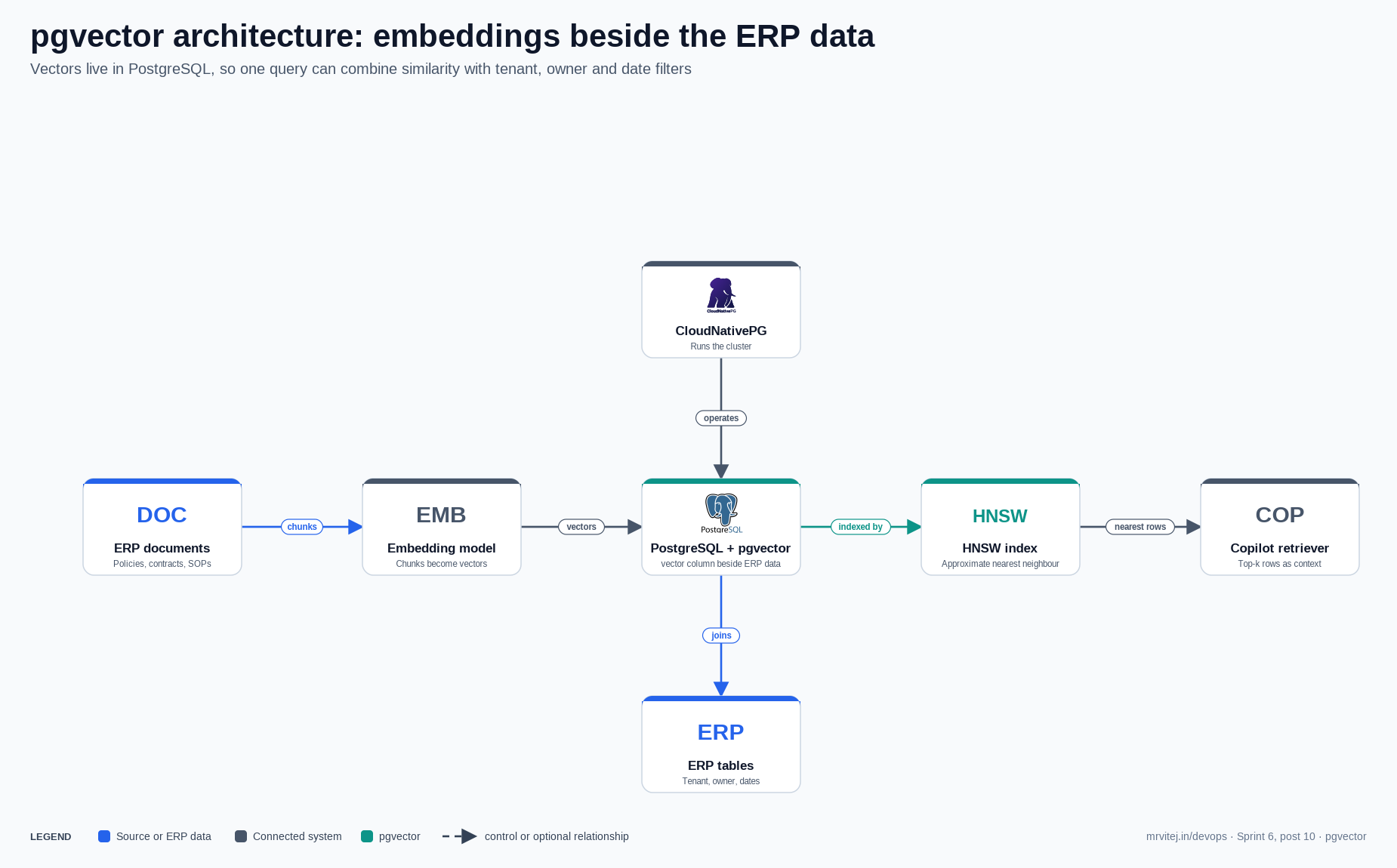
Blue is a source or ERP data, grey is a connected system and teal is pgvector. Open the zoomable diagram, or download it as SVG or PNG.
| Component | Responsibility |
|---|---|
| ERP documents | Policies, contracts and SOPs, split into chunks with source and tenant recorded. |
| Embedding model | Turns each chunk, and later each question, into a vector. The same model must be used for both. |
| PostgreSQL + pgvector | Stores the chunk text, metadata and the vector column. |
| CloudNativePG | Runs the PostgreSQL cluster on Kubernetes. See the CloudNativePG brief. The image it uses must contain the extension. |
| ERP tables | Tenants, owners and permissions that the query joins and filters on. |
| HNSW index | Serves approximate nearest-neighbour search. |
| Copilot retriever | Takes the nearest rows as context for the model. |
From question to grounded answer
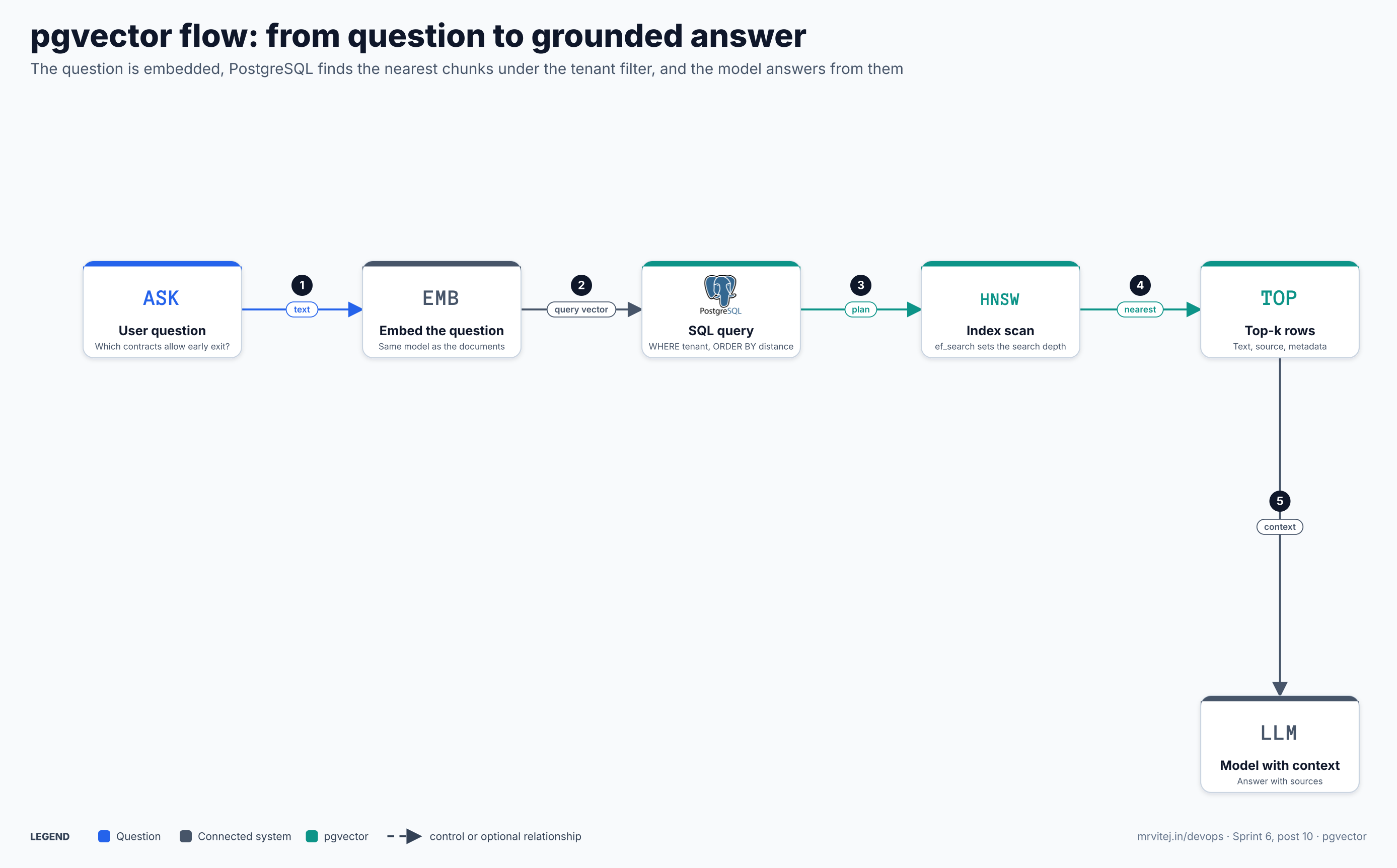
- Question. The user asks, for example, which contracts allow early exit.
- Embed. The question is turned into a vector by the same model used for the documents.
- Query. SQL filters by tenant and orders by distance to the query vector.
- Index scan. PostgreSQL uses the HNSW index;
ef_searchsets how deep it looks. - Context. The nearest rows, with text and source, go to the model, which answers and cites them.
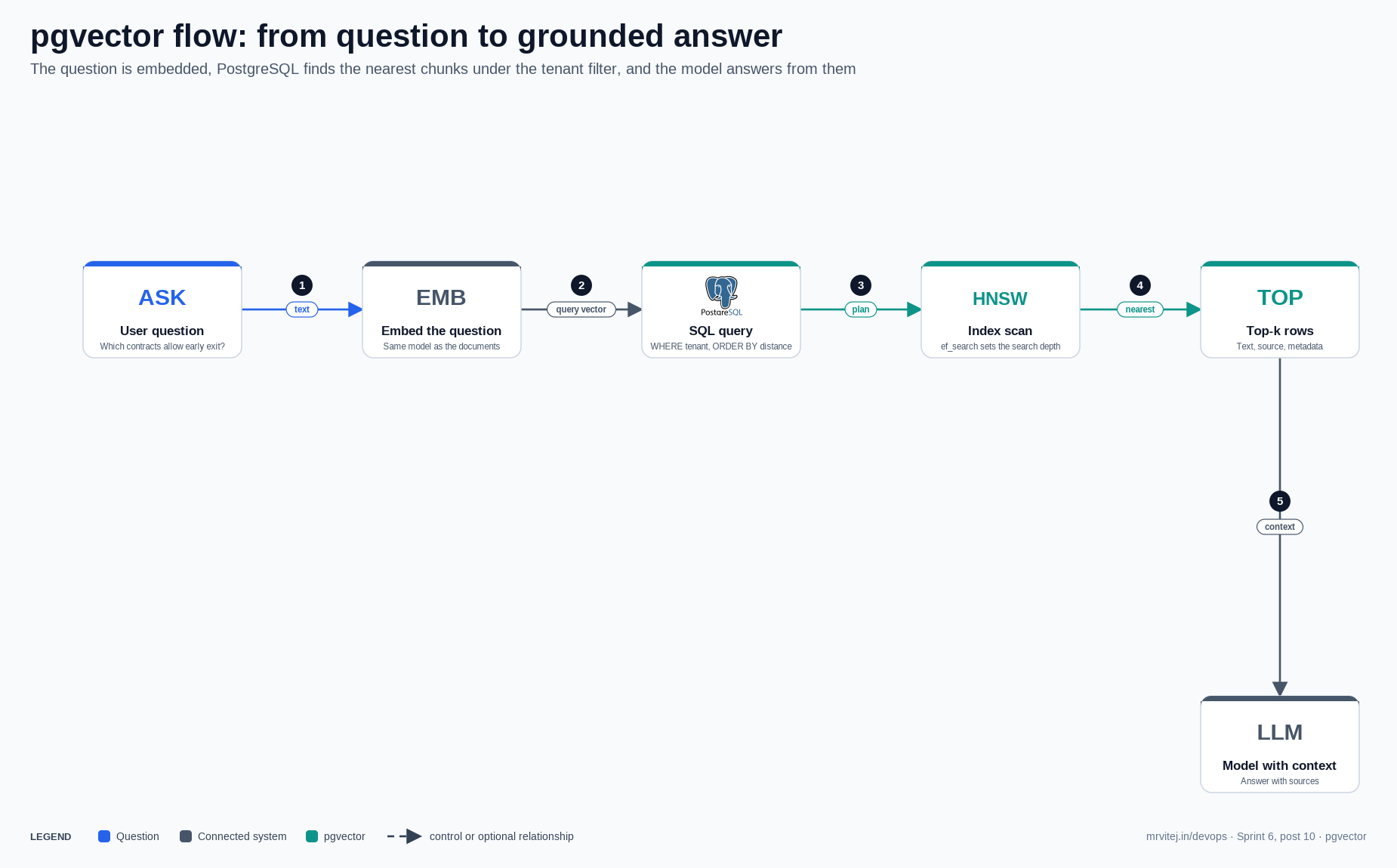
Open the zoomable flow diagram, or download it as SVG or PNG.
Real world: the contract question
A finance manager asks, “Which of our supplier contracts let us exit early without a penalty?” A keyword search for “early exit” misses a contract that says “termination for convenience on 30 days’ notice”. Embeddings place those two phrases near each other, so the vector search finds it. Because the chunks live in PostgreSQL next to the contracts table, the same query can limit results to this company’s contracts, to active ones, and to those the manager is allowed to see. A separate vector store would need that metadata copied in and kept current.
Install pgvector
These steps follow the pgvector README. I did not run them for this post.
On a PostgreSQL server
cd /tmp
git clone --branch v0.8.3 https://github.com/pgvector/pgvector.git
cd pgvector
make
sudo make install     # may need sudo; PostgreSQL server dev headers must be installed
Then enable it once in each database where you want to use it:
CREATE EXTENSION vector;The README also lists Docker, conda-forge and OS packages as other ways, and notes that hosted PostgreSQL services often offer the extension already. Check the repository for the newest release tag rather than relying on the one shown here.
On Kubernetes with CloudNativePG
The extension files must be present in the image that the database pods run, and the extension must be created in the database. I did not verify the exact CloudNativePG mechanism for this version, so follow the CloudNativePG documentation on extensions and images. After the pods run an image that contains pgvector, create the extension through the cluster’s bootstrap SQL, a Database resource or a migration (the SchemaHero brief shows a migration route).
On a managed service
On Amazon Aurora PostgreSQL the AWS database blog describes using pgvector 0.8.0 with iterative index scans. Check which pgvector version your engine version offers before you rely on a feature.
Try it
CREATE EXTENSION IF NOT EXISTS vector;

CREATE TABLE doc_chunks (
  id          bigserial PRIMARY KEY,
  tenant_id   int NOT NULL,
  source      text NOT NULL,
  body        text NOT NULL,
  updated_at  timestamptz NOT NULL DEFAULT now(),
  embedding   vector(768)          -- must match your embedding model's size
);

-- Insert a row (your application computes the vector)
INSERT INTO doc_chunks (tenant_id, source, body, embedding)
VALUES (42, 'contract-1181.pdf#p4', 'Either party may terminate on 30 days notice.', '[0.01, 0.02, ...]');

-- Exact search first, to know what "correct" looks like
SELECT id, source, embedding <=> $1 AS distance
FROM doc_chunks
WHERE tenant_id = 42
ORDER BY embedding <=> $1
LIMIT 5;

-- Then add an approximate index for cosine distance
CREATE INDEX ON doc_chunks USING hnsw (embedding vector_cosine_ops);
The HNSW defaults are m = 16 and ef_construction = 64; a higher ef_construction gives better recall at the cost of build time and insert speed. At query time, SET hnsw.ef_search = 100; raises recall for the session, and SET LOCAL inside a transaction changes it for one query. Note that after adding an approximate index, query results can change, because it trades some recall for speed.
For filtered queries on pgvector 0.8.0 or newer, turn on iterative scans (the setting is hnsw.iterative_scan; read the README for its options and its hnsw.max_scan_tuples limit). Without them, the filter runs after the index scan, and the AWS article gives the example that with the default ef_search of 40 and a filter matching 10% of rows, you get roughly four usable results.
Production reference design
- One embedding model per index. Record the model name and dimension in the table, and re-embed everything when the model changes.
- Chunk with metadata. Store source, page, tenant, owner and updated time with every chunk; filter on them.
- Index after loading. Load the initial data first, then build the HNSW index; it is faster than indexing while inserting.
- Size memory. Give index builds enough
maintenance_work_mem; PostgreSQL warns when the graph no longer fits. Do not set it so high that it exhausts the server. - Filters. Add ordinary indexes on tenant and date; for few, large tenants consider partial indexes or partitioning by tenant.
- Measure recall. Compare approximate results with exact search on a sample of real questions, and tune
ef_search. - Replicas for reads. Serve retrieval from a replica if it competes with ERP traffic.
- Row-level security. Enforce tenant rules in PostgreSQL, not only in the retriever.
- Backups. Vectors are in your normal backups; test a restore, and keep the source documents so you can rebuild.
Security
- Tenant isolation. A similarity search ignores permissions unless you add them. Use row-level security or mandatory filters on every query.
- Least privilege. Give the retriever a read-only role on the chunk table.
- Data leaks through embeddings. Embeddings can reveal information about the source text; treat them as sensitive as the documents.
- Prompt injection. Retrieved text goes to the model; documents can contain instructions. Treat retrieved text as data and see the NeMo Guardrails post later in this series.
- Encryption. Use TLS to the database and encryption at rest, as for the rest of PostgreSQL.
Troubleshooting
This table comes from the pgvector README and the documentation pages I read. I did not run pgvector for this post, so test each entry on your own database.
| Symptom | Likely cause | How to check | Fix |
|---|---|---|---|
type "vector" does not exist |
Extension not created in this database | \dx in psql |
CREATE EXTENSION vector; in that database |
could not open extension control file |
The extension files are not installed on the server or image | Look for vector.control under the PostgreSQL extension directory |
Install pgvector in the server or in the image the pods use |
expected N dimensions, not M |
Embedding size differs from the column | Compare vector(n) with the model’s output |
Fix the column or the model; re-embed if the model changed |
Index build is slow, with a NOTICE that the graph no longer fits in maintenance_work_mem |
Memory too small for the graph | The NOTICE in the output | Raise maintenance_work_mem for the session, within server memory |
| Query does not use the index | Wrong operator class or a different distance operator | EXPLAIN the query |
Match the index ops (vector_cosine_ops with <=>) and the operator in ORDER BY |
Filtered query returns fewer rows than LIMIT |
The filter runs after the index scan | Run the same query with the filter removed | Raise hnsw.ef_search, enable iterative scans on 0.8.0+, or add a partial index or partitions |
| Results differ after adding an index | Approximate search trades recall for speed | Compare with exact search (drop the index in a test copy) | Tune ef_search or ef_construction; accept the trade-off or use exact search for small sets |
| Cannot index vectors with more than 2,000 dimensions | vector is limited to 2,000 dimensions for indexing |
The error message | Use halfvec (up to 4,000), or a model with fewer dimensions |
| IVFFlat recall is poor | Index built on little data, or too few probes | Compare with exact search | Rebuild after loading data and raise ivfflat.probes |
| Inserts slow down with a large HNSW index | Index maintenance cost | Insert latency over time | Batch inserts, or consider IVFFlat for heavy write workloads |
Usage cases
- Retrieval for copilots. Find the chunks that answer a question, then pass them to a model.
- Similar-item search. Find similar products, tickets or contracts.
- Duplicate detection. Find near-duplicate records in a master data set.
- Recommendations. Suggest related items from embeddings of behaviour or description.
- In the Sprint 6 project. Embeddings of ERP documents live in PostgreSQL next to the business data. Part 4 builds the copilot’s retrieval on it, and the Docling and Instructor posts cover turning documents and answers into structured data.
Operational considerations
- It is PostgreSQL. Vacuum, replication, upgrades and backups all apply; vector tables are just large ones.
- Index memory. HNSW indexes are large, and the best performance needs them in memory.
- Re-embedding. Changing the model means recomputing every vector, so version your embeddings.
- Extension upgrades. Use
ALTER EXTENSION vector UPDATEafter upgrading the package, and read the notes for each version. - Right-size the ambition. For a very large collection or very high query rates, a dedicated vector database can be easier to scale.
- Not CNCF. It is a community project outside the CNCF, so follow its releases and licence.
Adoption
The pgvector wiki and several managed services document it, and the AWS database blog covers it on Aurora PostgreSQL. I did not find a verified list of named production users for this post, so none are named.
Alternatives
| Solution | Model | Best suited to |
|---|---|---|
| Milvus | Dedicated, distributed vector database listed in the Landscape | Very large collections and high query rates |
| Qdrant | Dedicated vector database | Teams that want a purpose-built store with rich filtering |
| OpenSearch or Elasticsearch vector search | Search engine with vectors | Teams that already run a search cluster and want hybrid keyword and vector search |
| Amazon Aurora or RDS PostgreSQL with pgvector | Managed PostgreSQL | Teams that want pgvector without operating the database |
| Keyword search (PostgreSQL full text) | Lexical search | Cases where exact words matter more than meaning |
Strengths and limitations
| Strengths | Limitations |
|---|---|
| Vectors beside the business data, with real filters and joins | HNSW and IVFFlat indexes use memory and compete with ERP load |
| Transactions, backups and access control come from PostgreSQL | Scaling to very large vector counts needs care |
| Exact search by default, approximate when you choose | Approximate results can differ from exact ones |
Several vector types, including halfvec and sparse vectors |
Index dimension limits (2,000 for vector) |
| Widely available, including on managed PostgreSQL | Filtered search needs tuning or version 0.8.0+ features |
Recommendation
Adopt, as the default vector store for the ERP. Run it in the PostgreSQL you already operate, keep chunks and metadata in one table, filter by tenant with row-level security, and start with exact search on a small corpus. Add an HNSW index once the table is large enough to need it, and measure recall against exact search before trusting the settings. Use version 0.8.0 or newer if you filter. If the collection grows into the hundreds of millions, or retrieval load starts to hurt the ERP, move to a replica first and a dedicated vector database second.
References: pgvector repository · pgvector documentation (0.8.3 PDF) · Iterative index scans in pgvector 0.8.0 on Aurora (AWS Database Blog) · Filtering and iterative scans (Alibaba Cloud docs) · EDB pgvector guide · CNCF Landscape entry