
zot is a container registry built around the OCI specifications. It serves the OCI Distribution API, stores images and other OCI artifacts in the standard OCI image layout, and ships as one binary with optional extensions for search, vulnerability scanning, a web interface, signature verification and mirroring. It addresses two problems that larger registries leave open: running a registry on a small node at the edge, where a full Harbor deployment with its own database and Redis is too heavy, and keeping a local copy of images so that clusters keep working when the link to the central registry is slow or down. zot was started by engineers at Cisco and was accepted into the CNCF as a Sandbox project on 13 December 2022.
CNCF daily · Sprint 3, post 15 of 21 · Container Registry
At a glance
| Category | Provisioning › Container Registry |
| CNCF status | Sandbox. Accepted December 13, 2022 |
| Written in | Go |
| License | Apache 2.0 |
| Storage | OCI image layout on a local filesystem, or AWS S3 through the S3 driver |
| Efficiency | Deduplication of identical blobs and inline garbage collection, so the registry stays online |
| Extensions | search (GraphQL, Trivy CVE data), sync, scrub, UI, metrics, lint, trust (cosign and notation) |
| Authentication | mTLS, htpasswd, LDAP, bearer tokens, OpenID Connect and API keys, with per-repository access control |
| Mirroring | Periodic sync or on-demand pull-through from upstream registries |
Architecture
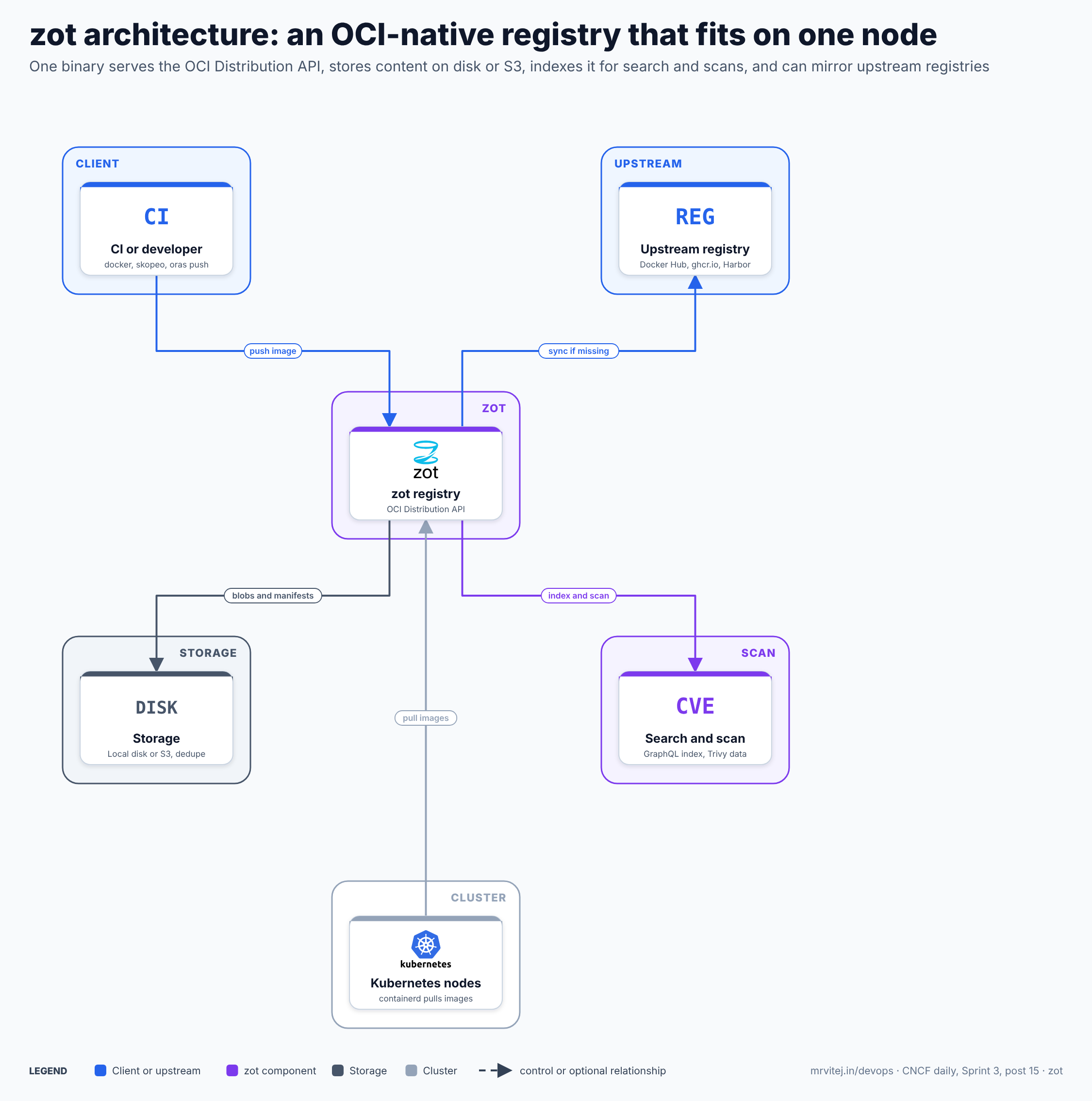
Blue is the clients and upstream registries, purple zot, slate the storage and grey the cluster. Everything in the purple boxes is one process: the search and scan features are extensions of the same binary, not separate services. Open the zoomable diagram, or download it as SVG or PNG.
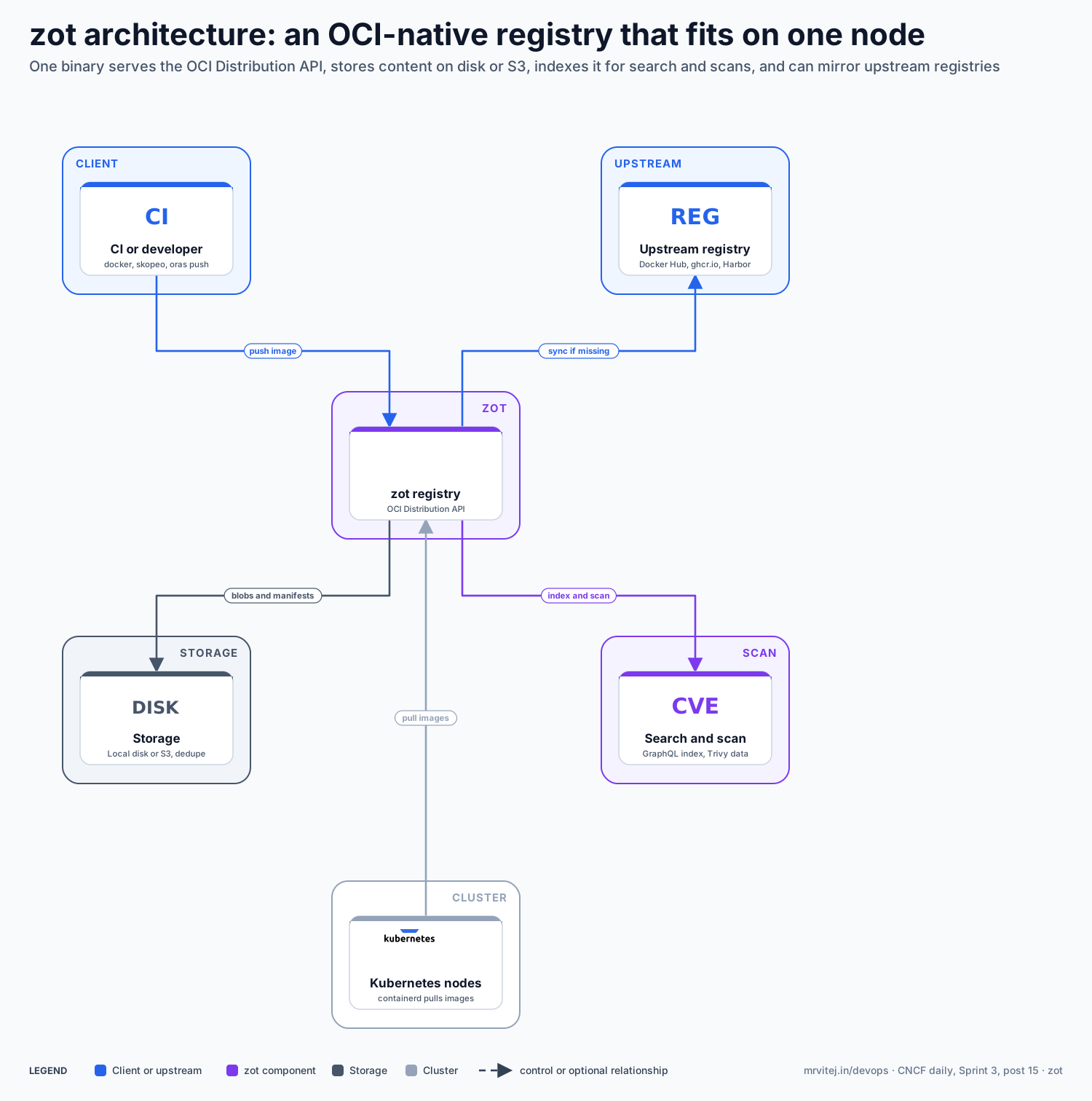
| Component | Responsibility |
|---|---|
| CI or developer | Pushes images and artifacts with any OCI client, such as docker, skopeo or oras. |
| Upstream registry | A source such as Docker Hub, ghcr.io or a central Harbor from which zot mirrors images. |
| zot registry | Serves the OCI Distribution API, authenticates clients and applies access control. |
| Storage | Holds blobs and manifests in the OCI image layout on local disk or S3, deduplicating identical content. |
| Search and scan | The search extension indexes images for GraphQL queries, and uses Trivy data to report vulnerabilities. |
| Kubernetes nodes | containerd on each node pulls images from zot, usually through a registry mirror setting. |
Design principle. Keep the registry a plain implementation of the standard, with features added as optional extensions in the same process. Any OCI client works, the storage is readable without zot, and a small node can run only what it needs.
Request flow
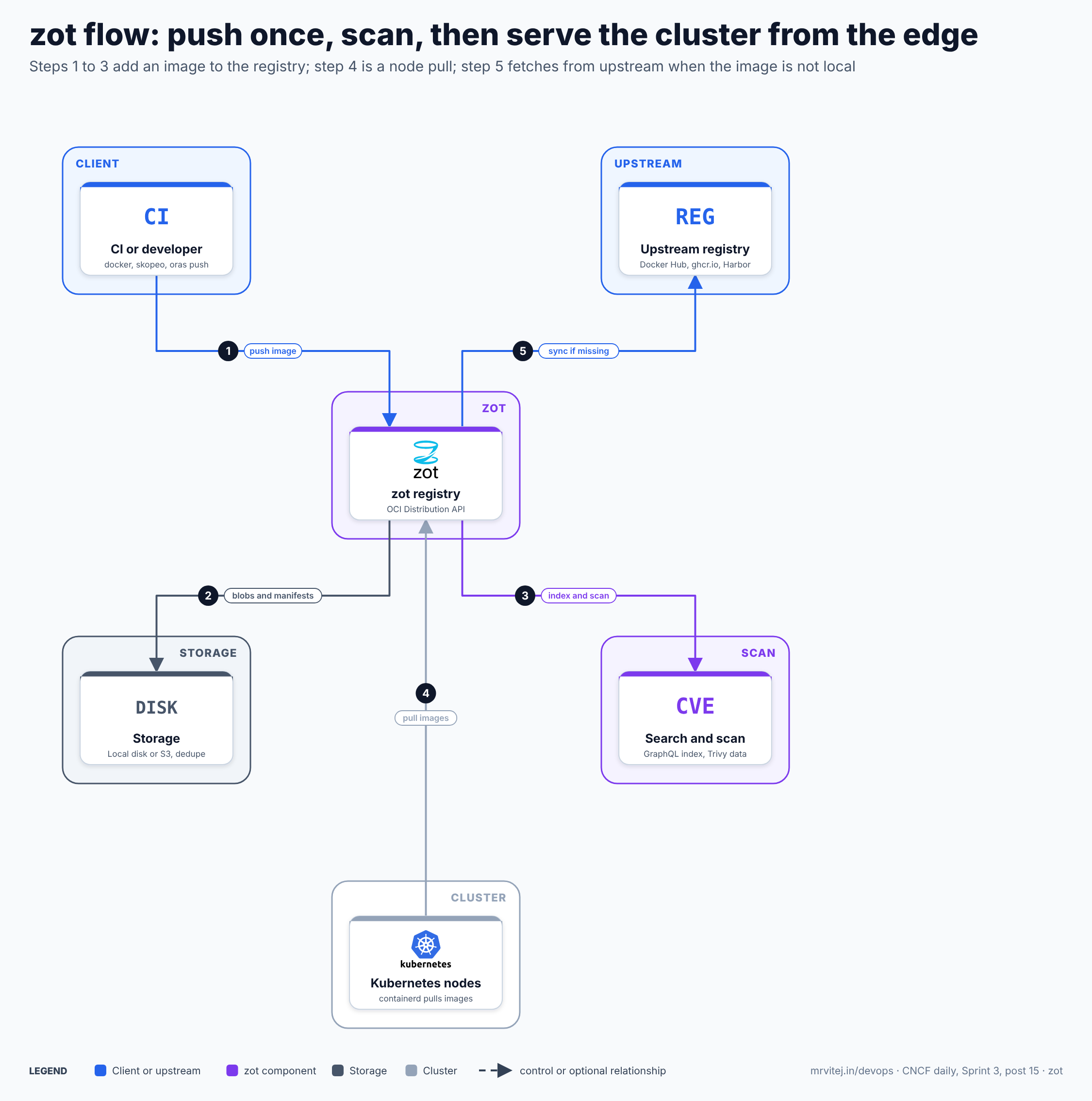
- Push the image. CI pushes the image over the OCI Distribution API after zot authenticates it and checks that its identity may write to the repository.
- Store the content. zot writes the blobs and manifest to storage; identical layers are stored once through deduplication.
- Index and scan. The search extension indexes the image and, with Trivy data, reports its known vulnerabilities, which the web interface and the API can show.
- Pull to the cluster. A Kubernetes node pulls the image from zot, so the transfer stays on the local network.
- Sync if missing. For an image that is not stored locally, zot with on-demand sync fetches it from the upstream registry, stores it and serves it, so the next pull is local.
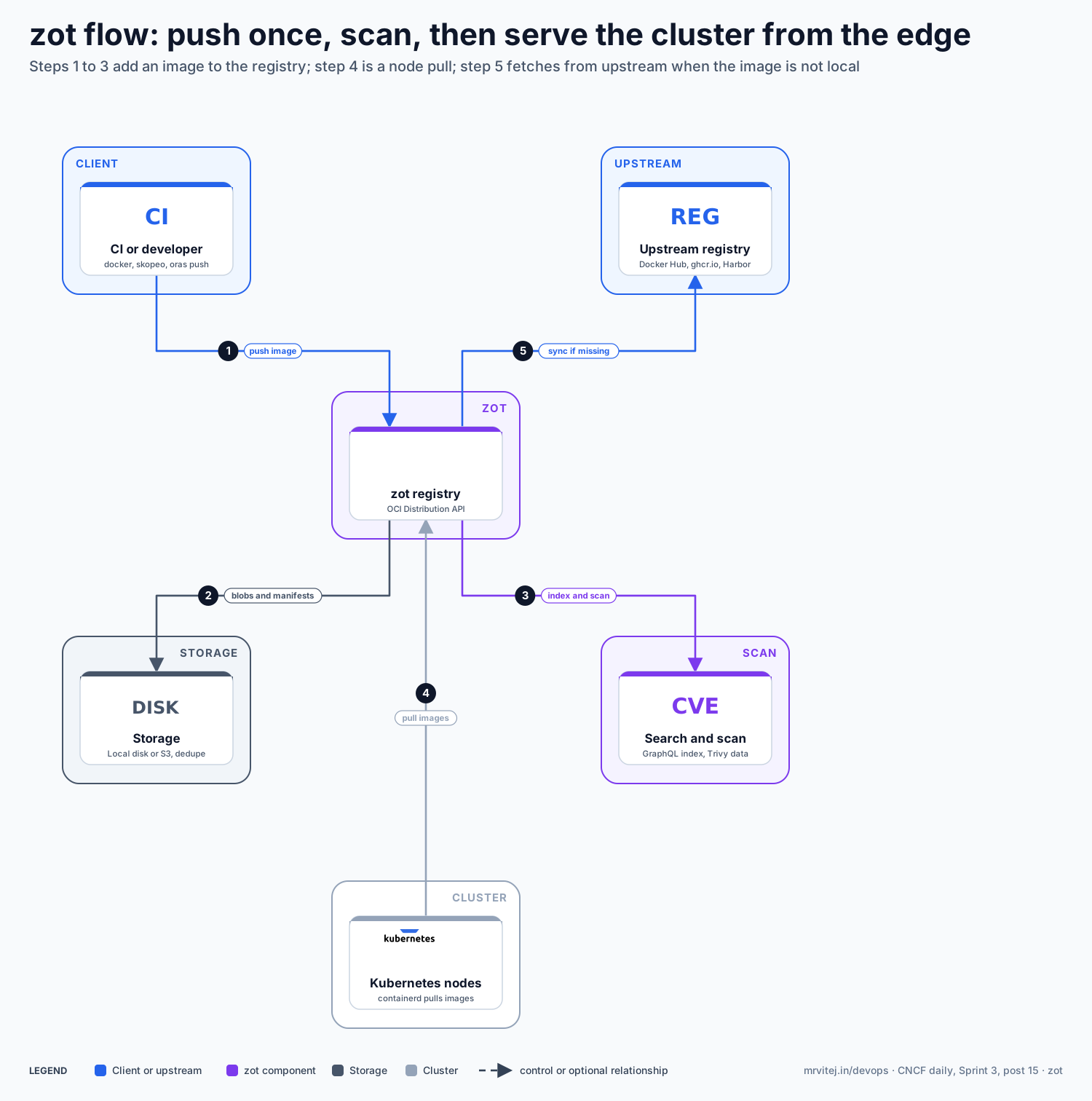
Open the zoomable flow diagram, or download it as SVG or PNG.
Production reference design
This Sprint 3 design runs zot at each edge site as a local cache, with a central registry in the cloud cluster on Google Compute Engine as the upstream.
- Run zot on each edge cluster as a Deployment with a persistent volume, and expose it with a Service and TLS. Use the full zot image, because extensions are not in the minimal build.
- Write the configuration with storage, authentication and extensions, then validate it with
zot verify config.json:
Add authentication and{ "distSpecVersion": "1.1.0", "storage": { "rootDirectory": "/var/lib/zot", "dedupe": true, "gc": true, "gcDelay": "1h", "gcInterval": "24h" }, "http": { "address": "0.0.0.0", "port": "5000", "tls": { "cert": "/certs/tls.crt", "key": "/certs/tls.key" } }, "extensions": { "search": { "enable": true, "cve": { "updateInterval": "24h" } }, "scrub": { "enable": true, "interval": "24h" }, "metrics": { "enable": true }, "ui": { "enable": true }, "sync": { "registries": [ { "urls": ["https://registry.example.com"], "onDemand": true, "tlsVerify": true } ] } } }accessControlfor any registry that is not on a private network. - Point containerd at it with a registry mirror, so pods keep their original image names and nodes pull from the local zot first.
- Choose storage for the cloud site. (GCP) The simplest option is a Compute Engine persistent disk. zot’s remote storage driver is the S3 driver; if you want Cloud Storage, test its S3-compatible interface with your zot version before relying on it.
- Monitor. Scrape zot’s Prometheus metrics, and alert on disk use and scan or sync errors.
Typical uses include edge and air-gapped sites that need a local image cache, a lightweight private registry for small teams, and a place to keep signatures, SBOMs and other OCI artifacts next to images.
Operational considerations
- Disk is the main limit. Dedupe and garbage collection help, but plan capacity for image growth and set
gcIntervalfor your push rate. Local deduplication relies on hard links, so the filesystem must support them. - Availability. A single zot instance is a single point of failure for a site. Use a replicated volume, or accept that nodes fall back to the upstream registry for pulls when the mirror is down.
- Security. Enable TLS and authentication, restrict write access by repository, and verify signatures with the
trustextension where the supply chain needs it. - Extensions need the full image. The minimal image omits search, sync, UI and scanning, so choose the image to match the features.
- Scale. zot suits small and medium estates. Very large multi-tenant registries with replication policies and role-based projects are Harbor’s strength.
Adoption
- Cisco created zot and uses it internally, and its engineers remain major contributors.
- The project documents users and integrations on its website; consult them for current organisations, since public named production references are limited for a Sandbox project.
Alternatives
| Solution | Model | Best suited to |
|---|---|---|
| Harbor (CNCF Graduated) | Full registry platform with projects, replication and scanning | Central registries for many teams; see the Harbor brief |
| Distribution (CNCF Sandbox) | The reference registry (registry:2) |
The simplest possible registry with few features |
| Dragonfly (CNCF Graduated) | Peer-to-peer image distribution | Speeding up pulls across large clusters; see the Dragonfly brief |
| Cloud registries (Artifact Registry, ECR, ACR) | Managed registries | Teams that prefer a vendor-run service on one cloud |
| Spegel | Node-to-node image mirror | Sharing already-pulled images inside a cluster |
Strengths and limitations
| Strengths | Limitations |
|---|---|
| One binary with small resource needs | Remote storage is limited to the S3 driver |
| Standard OCI layout and API, with no vendor-specific format | Fewer enterprise features than Harbor (projects, quotas, replication UI) |
| On-demand sync suits edge and air-gapped sites | Extensions require the full image |
| Search, CVE data and signature checks built in | A single instance is a single point of failure unless the volume is replicated |
| Apache 2.0 licence | Sandbox project with a smaller user base |
Recommendation
Trial for edge sites, small teams and air-gapped environments that need a lightweight registry or a local pull-through cache. Start with one edge cluster, on-demand sync from the central registry and a containerd mirror, then measure pull times and disk growth. Keep Harbor or a managed registry as the central source for large, multi-team estates.
References: CNCF project page · zot website · Configuring zot · Storage planning · zot repository · CNCF Landscape