
OpenEBS and K8up cover the two halves of running stateful workloads on self-managed Kubernetes: where the data lives and how it is copied off the cluster. OpenEBS turns the disks of worker nodes into persistent volumes, either node-local (Local PV) or replicated across nodes (Replicated PV, based on Mayastor). K8up is a backup operator built on restic: it runs a Kubernetes Job on a schedule that mounts a persistent volume claim and copies it to S3-compatible object storage. Both are CNCF Sandbox projects. OpenEBS was created at MayaData and is recorded in the CNCF Landscape as accepted on 10 October 2024. K8up was created at VSHN, a Swiss cloud operations company, and was accepted on 16 November 2021.
CNCF daily · Sprint 3, post 11 of 21 · Cloud Native Storage
At a glance
| Category | Runtime › Cloud Native Storage |
| CNCF status | OpenEBS: Sandbox, accepted October 10, 2024. K8up: Sandbox, accepted November 16, 2021 |
| Written in | Go and Rust (OpenEBS engines); Go (K8up) |
| License | Apache 2.0 (both projects) |
| OpenEBS engines | Local PV Hostpath, LVM and ZFS (node-local), Local PV Rawfile (off by default), and Replicated PV (Mayastor) |
| Replicated transport | NVMe over TCP |
| K8up resources | Schedule, Backup, Restore, Prune, Check and Archive |
| Backup engine | restic, with S3-compatible backends |
Architecture
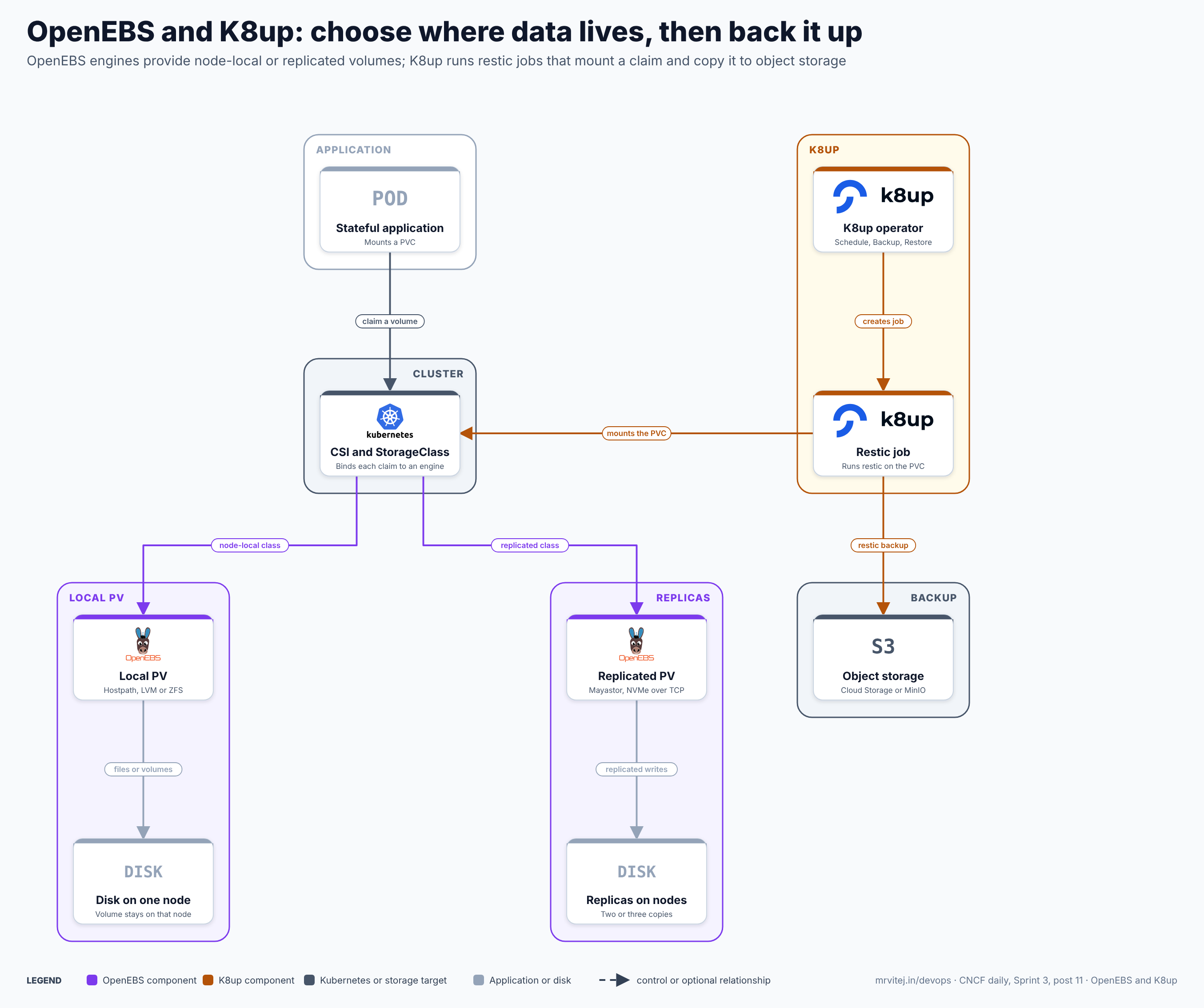
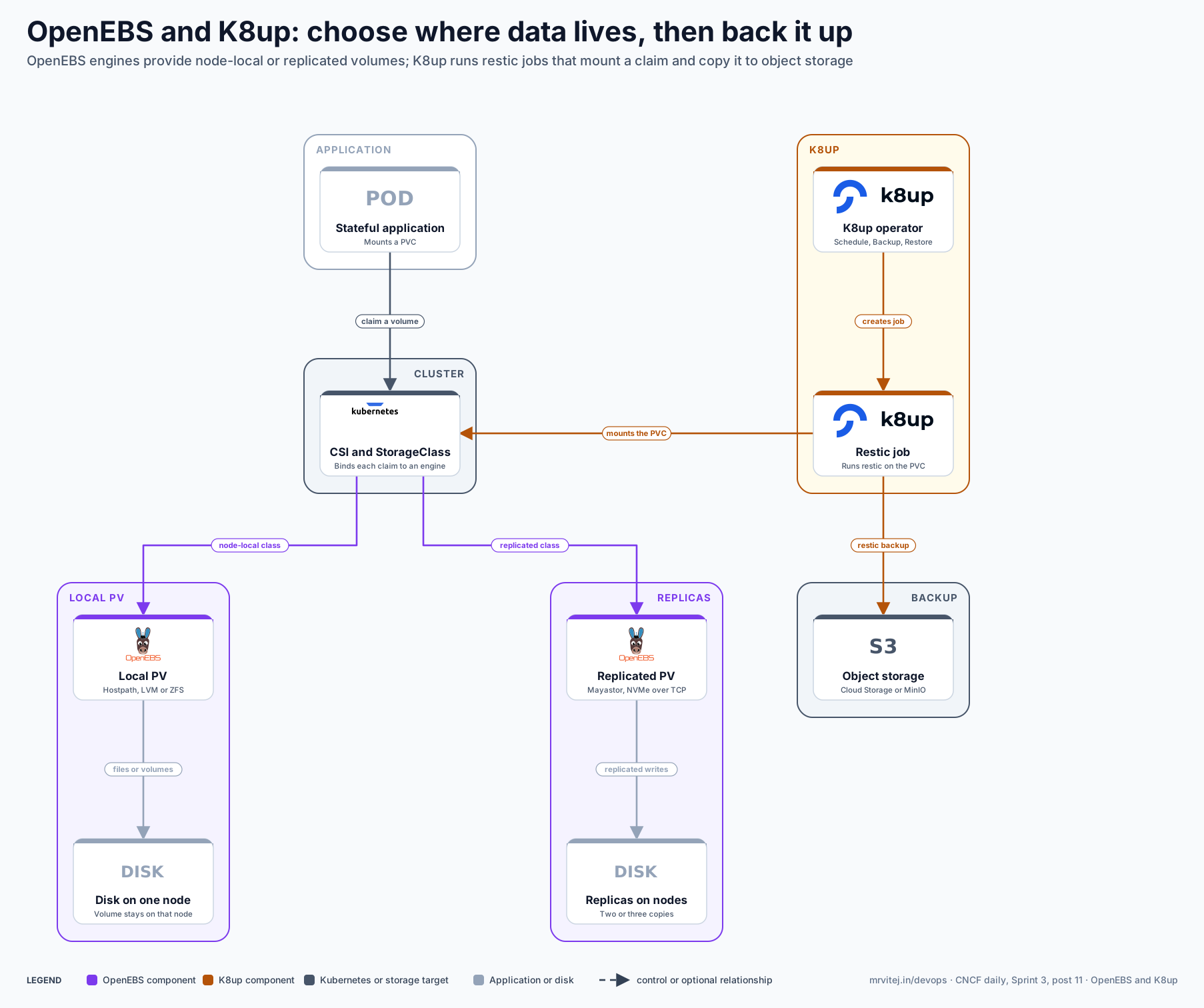
Purple is OpenEBS, amber K8up, slate Kubernetes and the backup target, and grey the application and disks. The two projects meet only at the persistent volume claim: K8up does not know which OpenEBS engine backs the volume. Open the zoomable diagram, or download it as SVG or PNG.
| Component | Responsibility |
|---|---|
| Stateful application | A pod that mounts a persistent volume claim. |
| CSI and StorageClass | Kubernetes binds each claim to an engine through the StorageClass that names its provisioner. |
| Local PV | Node-local volumes from a hostpath directory, an LVM volume group or a ZFS pool. No replication. |
| Disk on one node | The single disk that holds a Local PV volume, which ties the pod to that node. |
| Replicated PV | The Mayastor engine, which stores each volume as two or three replicas and exports it over NVMe over TCP. |
| Replicas on nodes | Copies of the volume on different nodes, so one node can fail without data loss. |
| K8up operator | Watches Schedule and Backup resources and creates a Job for each backup. |
| Restic job | Mounts the claim and runs restic against it. The Job exits when the backup finishes. |
| Object storage | S3-compatible bucket that holds the encrypted restic repository. |
Design principle. Separate placement from protection. The storage engine decides how a volume survives a node failure; the backup tool decides how it survives losing the cluster, a bad deployment or a deleted namespace. Replication is not a backup, because a delete or corruption is replicated too.
Request flow
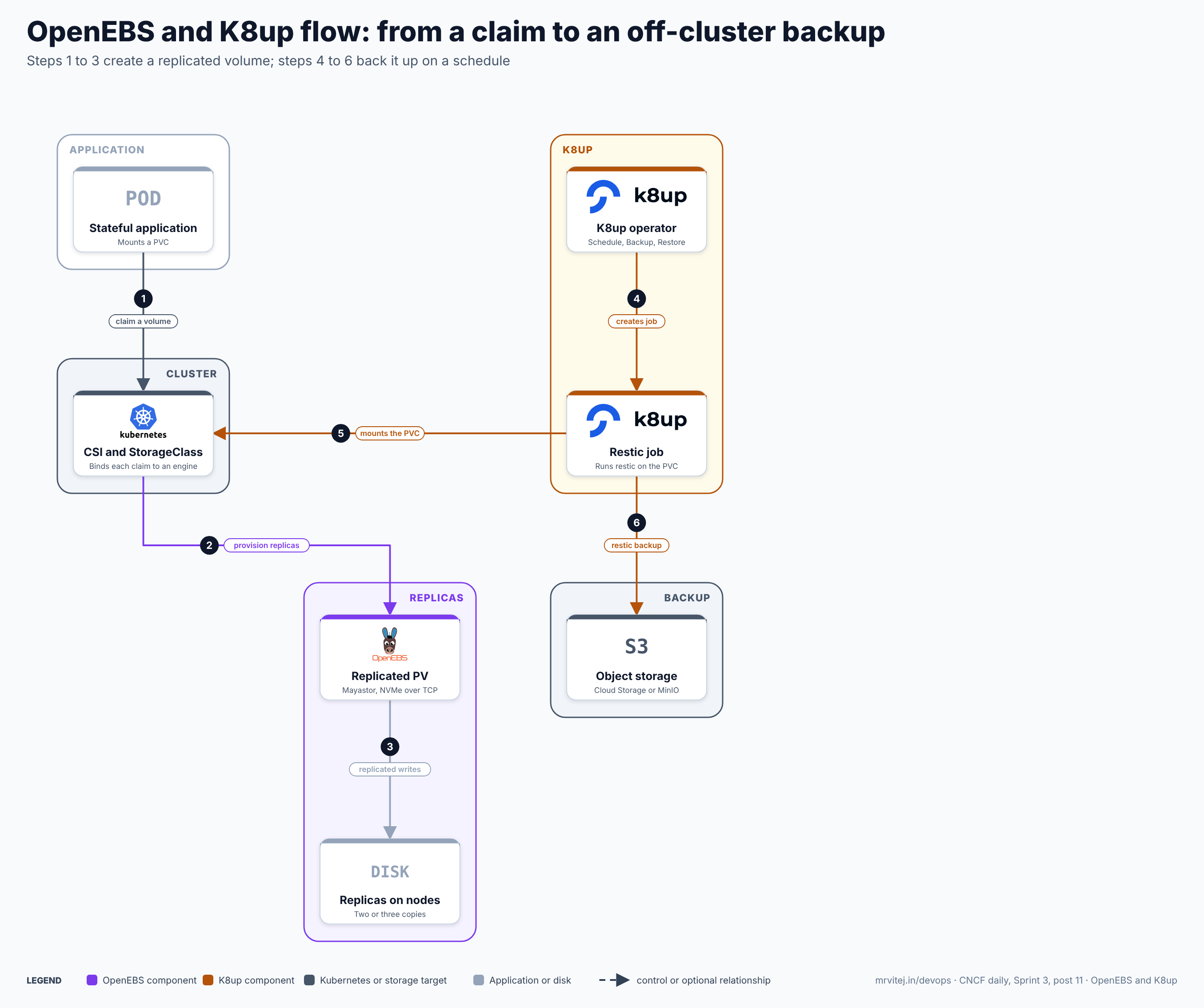
- Claim a volume. The application’s PersistentVolumeClaim names a StorageClass backed by the Replicated PV engine.
- Provision replicas. The CSI driver creates the volume and the control plane places its replicas on nodes that run the io-engine.
- Replicated writes. The application writes to the volume and the engine writes each block to every replica over NVMe over TCP.
- Create the job. When the
Scheduleis due, the K8up operator creates a Backup and a Job in the claim’s namespace. - Mount the PVC. The Job’s pod mounts the claim, typically at
/data/<pvc-name>. - Restic backup. restic encrypts and deduplicates the data and uploads it to the object storage bucket, then the Job exits.
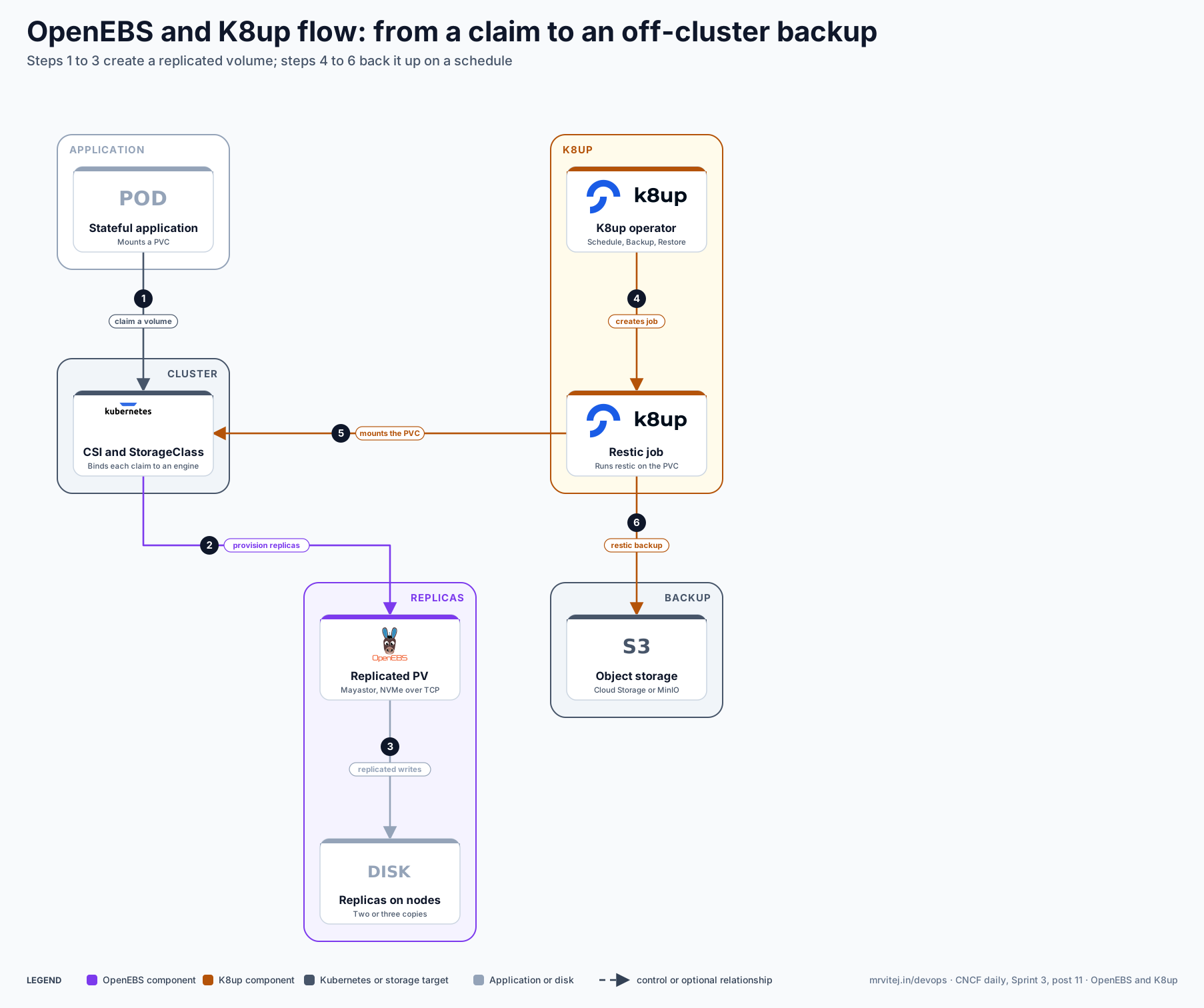
Open the zoomable flow diagram, or download it as SVG or PNG.
Production reference design
A typical design is a self-managed cluster of three or more worker nodes, each with a dedicated data disk, plus an object storage bucket (on Google Cloud, a Cloud Storage bucket through its S3-compatible interface and HMAC keys).
- Prepare nodes. For Replicated PV, give each io-engine node 2 dedicated CPU cores, 2 GiB of 2 MiB hugepages, the
nvme-tcpkernel module and a kernel of 5.13 or later (5.15 recommended), and label themopenebs.io/engine=mayastor. - Install OpenEBS (Helm 3.2 or later; the default chart enables Local PV Hostpath, LVM, ZFS and Replicated Storage):
Addhelm repo add openebs https://openebs.github.io/openebs helm repo update helm install openebs --namespace openebs openebs/openebs --create-namespace--set engines.replicated.mayastor.enabled=falseon clusters that need only local volumes. Then create a disk pool and a StorageClass with the number of replicas you want. - Install K8up with its Helm chart, which also installs the custom resources.
- Create the credentials as Secrets in the application’s namespace: the bucket keys and a restic repository password. Store the password outside the cluster as well, because without it the backups cannot be read.
- Schedule backups, checks and pruning:
apiVersion: k8up.io/v1 kind: Schedule metadata: name: shop namespace: shop spec: backend: s3: endpoint: https://storage.googleapis.com bucket: shop-backups accessKeyIDSecretRef: { name: backup-keys, key: access-key } secretAccessKeySecretRef: { name: backup-keys, key: secret-key } repoPasswordSecretRef: { name: backup-repo, key: password } backup: schedule: '0 2 * * *' check: schedule: '0 1 * * 1' prune: schedule: '0 1 * * 0' retention: { keepLast: 5, keepDaily: 14 } - Test a restore into a scratch namespace with a
Restoreresource before trusting the schedule.
Typical uses include databases and queues on bare-metal or self-managed cloud clusters, edge sites where a SAN is not available, and per-namespace backups for teams that manage their own data.
Operational considerations
- Replication is not backup. Replicated PV protects against a node failure only. Keep K8up or another backup tool in the plan and test restores regularly.
- Match the engine to the workload. Local PV is simplest and fastest but pins the pod to a node. Replicated PV survives a node failure but needs dedicated CPU, hugepages and at least three nodes.
- Capacity and CPU. Each io-engine reserves cores and memory on its node. Size nodes for that before adding application load.
- Backup consistency. restic copies files from a live volume. For databases, use K8up’s pre-backup command annotation to dump or flush data first, or the copy may not be consistent.
- Secrets and retention. Protect the repository password and bucket keys, set retention with
prune, and runcheckregularly to catch repository corruption early.
Adoption
- VSHN created K8up and states that it has used it in production since 2019.
- MayaData created OpenEBS, which is widely used for local and replicated storage on self-managed clusters.
- Both repositories maintain an ADOPTERS file; consult them for current named organisations. Public adopter lists for both projects are short compared with larger storage projects such as Rook.
Alternatives
| Solution | Model | Best suited to |
|---|---|---|
| Longhorn (CNCF Incubating) | Replicated block storage with S3 backups | Simple replicated volumes with a UI and built-in backups; see the Longhorn brief |
| Rook (CNCF Graduated) | Ceph on Kubernetes | Large clusters that need block, file and object storage; see the Rook brief |
| Velero (CNCF Sandbox) | Cluster resource and volume backup | Whole-cluster backup and migration, including Kubernetes objects |
| Cloud disks through CSI | Provider-managed volumes | Clusters on a single cloud that accept provider snapshots |
Strengths and limitations
| Strengths | Limitations |
|---|---|
| Several engines, from simple local paths to replicated NVMe | Replicated PV needs hugepages, dedicated cores and NVMe over TCP |
| Runs on ordinary disks with no external storage system | Local PV volumes are tied to one node and are not replicated |
| K8up is small, Kubernetes-native and uses restic encryption and deduplication | K8up backs up volume data, not cluster resources such as Deployments |
| Backups go to any S3-compatible bucket | Live-volume backups need pre-backup commands for consistency |
| Apache 2.0 licence for both projects | Both are Sandbox, with smaller communities than Rook or Longhorn |
Recommendation
Trial for self-managed and edge clusters that need local or replicated volumes without a separate storage system. Start with Local PV for tolerant workloads and Replicated PV for data that must survive a node failure, add K8up for scheduled off-cluster backups, and prove a restore before production. Teams that want a single product with a UI and built-in backups may find Longhorn simpler, and large estates may prefer Rook.
References: OpenEBS CNCF page · OpenEBS documentation · K8up documentation · K8up repository · CNCF Landscape